Skip to content
Case study · Custom ERP

One system for every booking, unit, payment and team at New Bay

New Bay rents rooms and cars in the UAE on short and long terms. MagnAct designed and built the ERP that runs the business: reservations, units, clients, invoices, accounting, maintenance and staff, in Arabic and English, in one place.
New Bay ERP reports and statistics dashboard, shown with fictional sample data
All screens show fictional sample data.
Client
New Bay
Location
United Arab Emirates
Industry
Room & car rental
Delivered
Web ERP + client & staff apps
Languages
Arabic & English
8 integrated business modules
45 management screens
22 automated accounting entry types
470 granular permissions
01The project

From separate tasks to one operating system

  1. Business context

    New Bay leases rooms across towers and regions, as well as cars, to individuals and families. Some stays last a few weeks, others run open-ended for months, and every one involves a client, a unit, a deposit, recurring invoices and the people who look after it.

  2. Operational needs

    A rental business at this scale has to know which units are free, take bookings from the office, the field and the client, bill every month without missing a cycle, record each payment against the right account, and answer maintenance calls and complaints during a stay. Managers also need to see all of this by region.

  3. The ERP solution

    MagnAct built a modular platform with the reservation at its centre. Accepting a booking schedules its invoices, opens the check-in task, retains the deposit and posts the accounting entry. Maintenance, extra services, complaints and payments then attach to the same record until checkout, and clients and field representatives work on it from their own mobile apps.

  4. Business value

    New Bay works from one source of truth. Front desk, field representatives, accountants and managers share the same records, each through their own permissions, with reports that read live operational data instead of figures gathered by hand.

02System overview

Six areas of the business, connected

Eight modules, grouped the way New Bay’s teams actually work.

Reservations & units

The heart of the system: rooms and cars, organised by city, region and tower.

  • Short- and long-term bookings
  • Live room and car availability
  • Reservation calendar
  • Overlap checks and deposits
  • Check-in, checkout and cancellation

Clients & relationships

Every lead and tenant on one profile, from first contact to the last stay.

  • Leads and active clients
  • Lead sources and nationalities
  • Assigned relationship owner
  • Ratings of stays and services
  • Complaints with priority and status

Finance & accounting

Double-entry accounting that operations feed automatically.

  • Chart of accounts and journals
  • Scheduled rent and deposit invoices
  • Payment review and refunds
  • Treasuries, bank accounts and cards
  • Cost centres, periods and currencies

Operations & field service

The work that happens during a stay, assigned and tracked.

  • Maintenance requests with entry permits
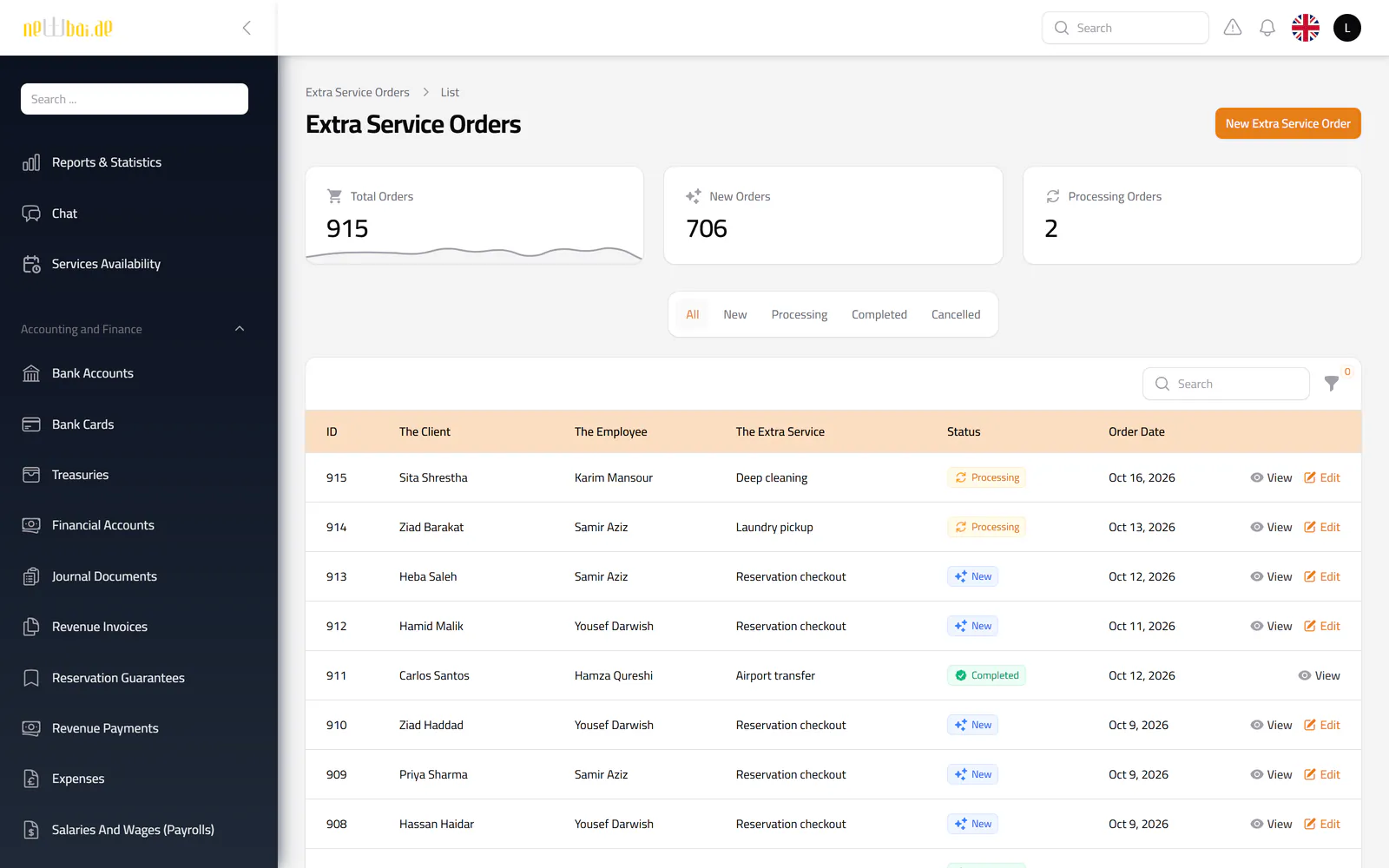
  • Extra service orders
  • Check-in and checkout tasks
  • Representatives on a live map
  • Late-payment follow-up

People & HR

Staff records alongside the work they do.

  • Employees, departments and representatives
  • Vacations with a team calendar
  • Bonuses, insurance and documents
  • Warnings and penalties
  • Payroll approval and salary payment

Insight & control

Visibility for managers and guard rails for everyone else.

  • Reports and statistics dashboard
  • Excel export across lists and reports
  • Role- and region-based access
  • Activity log of changes
  • In-app and push notifications
03The reservation lifecycle

One record, from request to checkout

Each step below is a working part of the system, not a manual hand-off.

  1. Request

    Booked from the dashboard, the calendar, or the client and staff apps. Price and deposit are calculated from the unit’s rates.

  2. Review

    Pending bookings are checked against overlapping reservations, then accepted or rejected with a recorded reason.

  3. Confirm

    Acceptance schedules monthly invoices, retains the deposit, opens a check-in task and posts the confirmation entry.

  4. Collect

    Payments by bank transfer or cash are recorded, reviewed by accounts and posted against the invoice.

  5. Serve

    Maintenance, extra services and complaints are raised and resolved against the same reservation.

  6. Close

    Checkout cancels unused invoices; cancellations apply refund rules with their own accounting entry.

04Inside the product

A walk through the screens

Seventeen real interfaces from the New Bay ERP, shown with fictional sample data.
Screenshot of the Reports & statistics screen in the New Bay ERP, with fictional sample data
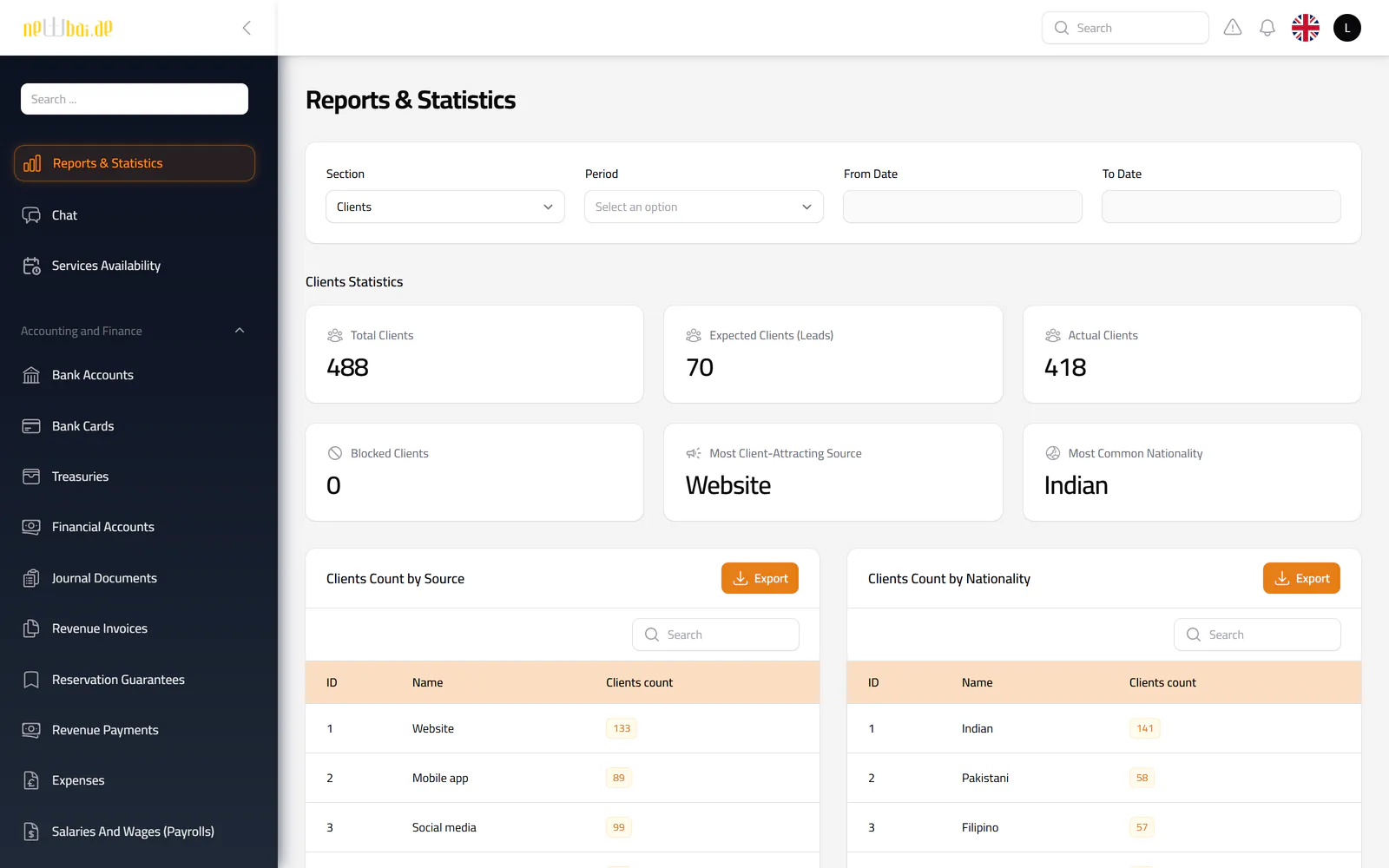
Reports & statistics Ten report sections behind one filter: clients, reservations, units, staff, cash, maintenance, overdue invoices and charts.
Screenshot of the Reservations screen in the New Bay ERP, with fictional sample data
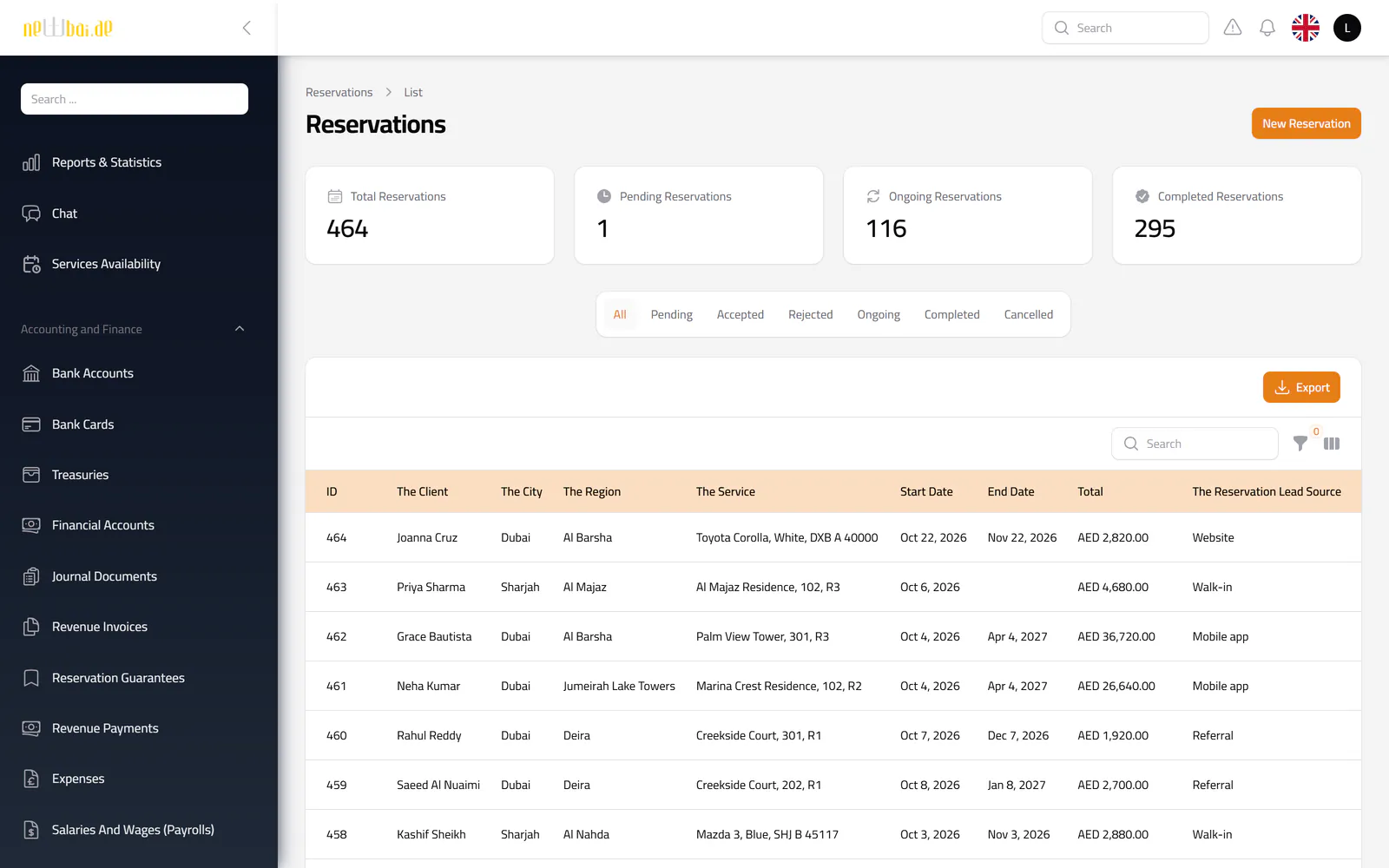
Reservations Every booking with its client, unit, region, term and total, filtered by status and exportable to Excel.
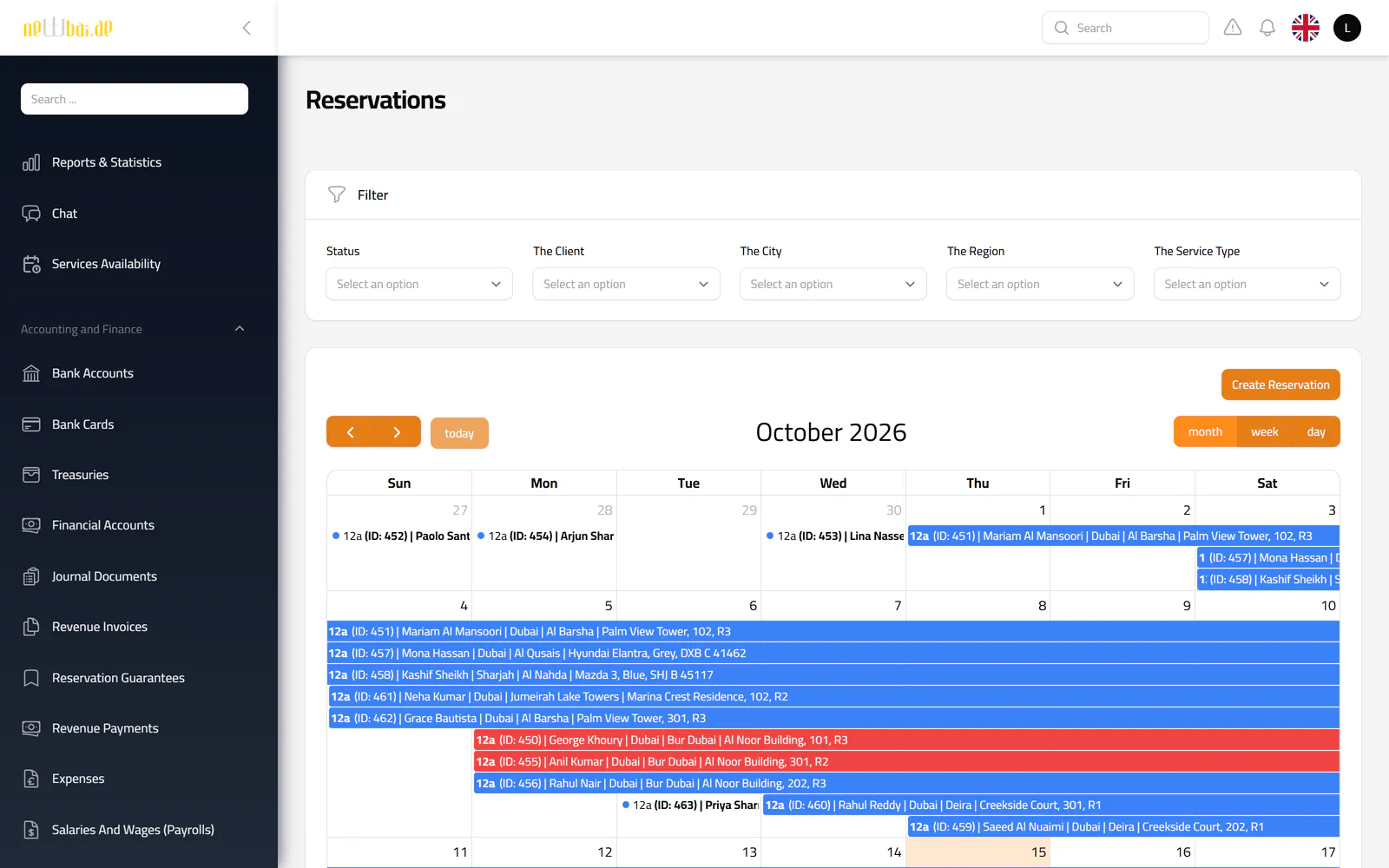
Screenshot of the Reservation calendar screen in the New Bay ERP, with fictional sample data
Reservation calendar Bookings across the month at a glance, with filters by status, client, city, region and unit type.
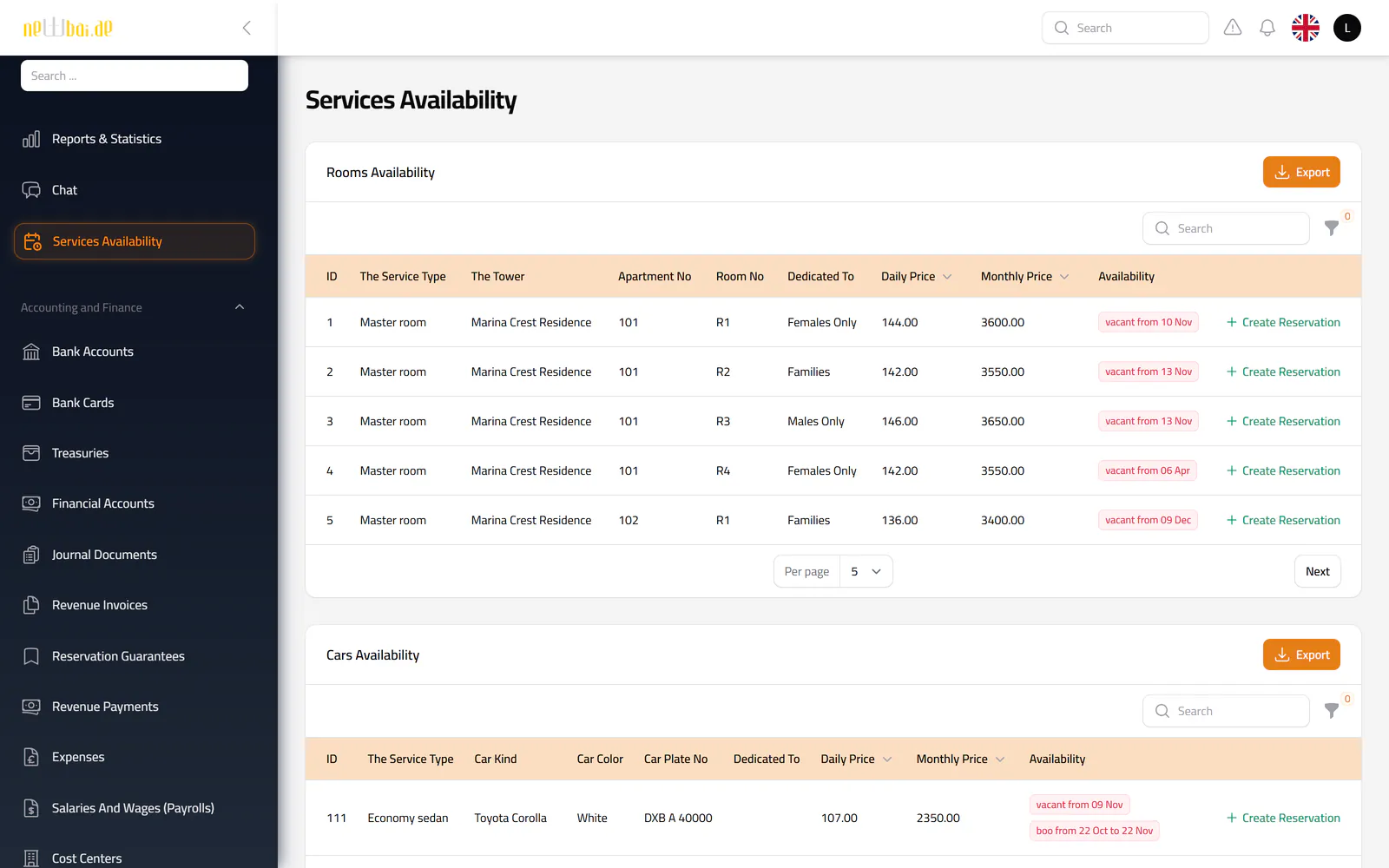
Screenshot of the Services availability screen in the New Bay ERP, with fictional sample data
Services availability Which rooms and cars are free now, and when occupied ones are expected back.
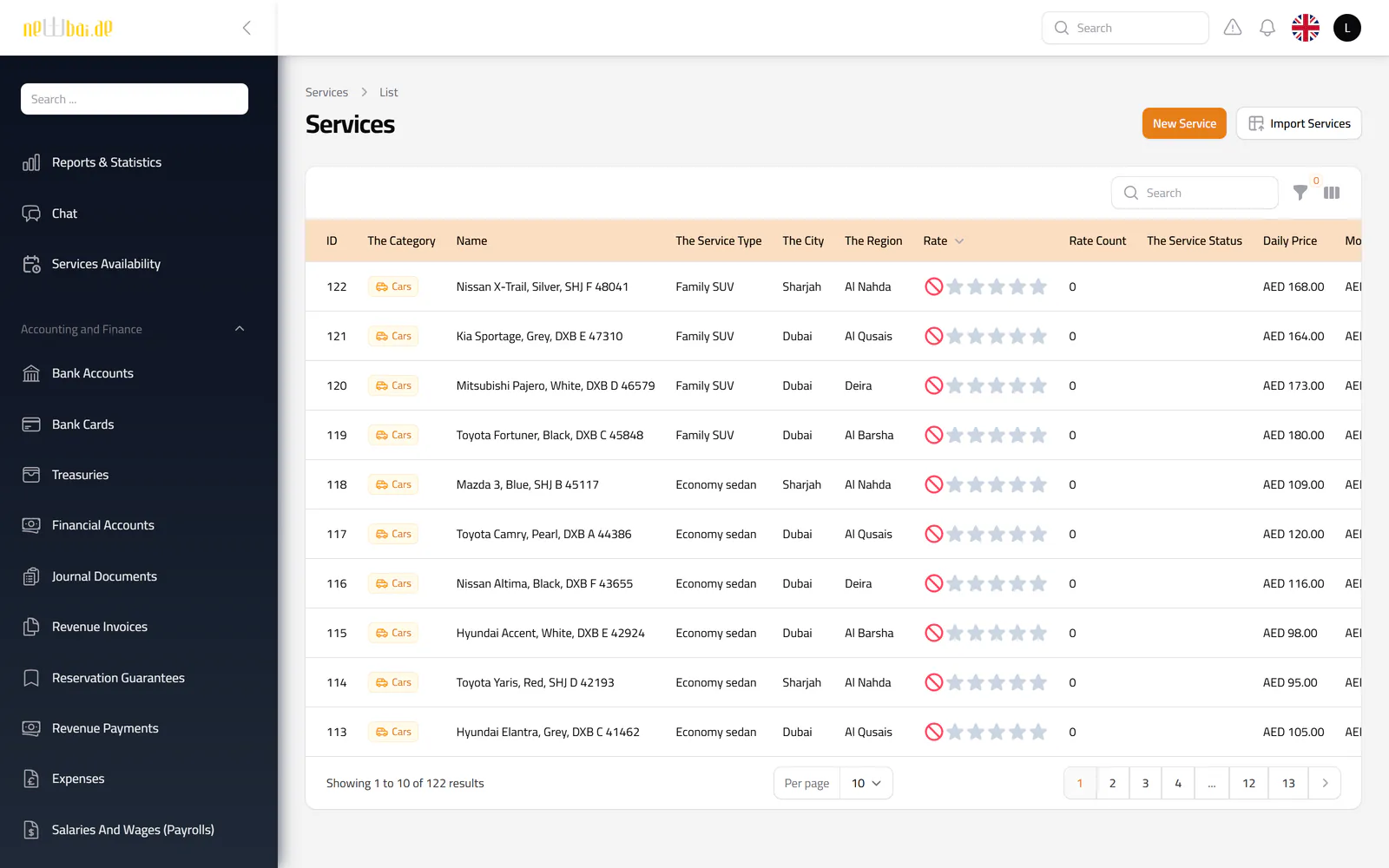
Screenshot of the Units screen in the New Bay ERP, with fictional sample data
Units Rooms and cars with their type, location, rates, status and client rating, importable from Excel.
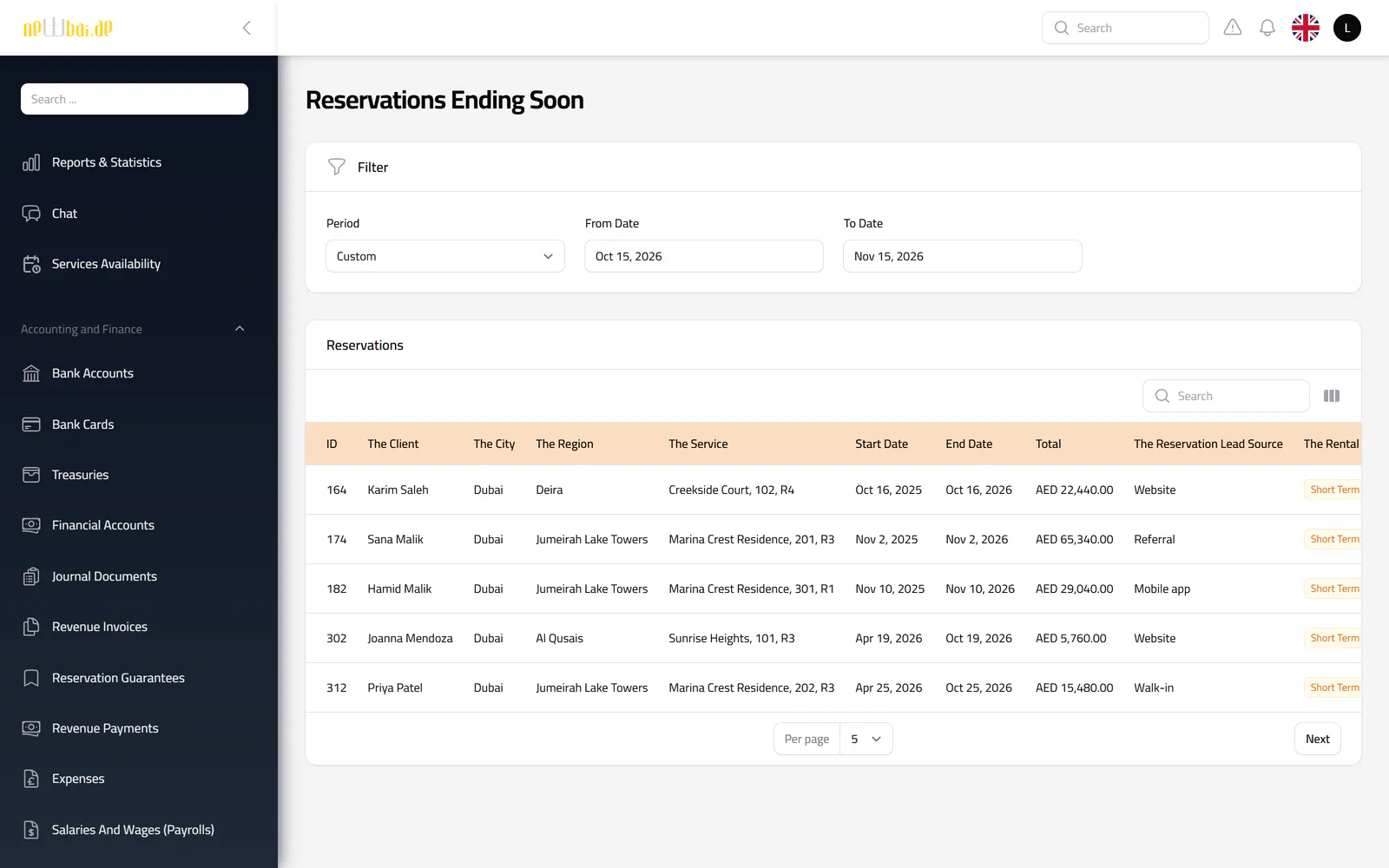
Screenshot of the Reservations ending soon screen in the New Bay ERP, with fictional sample data
Reservations ending soon Stays that end within a chosen period, so the next tenant can be lined up in time.
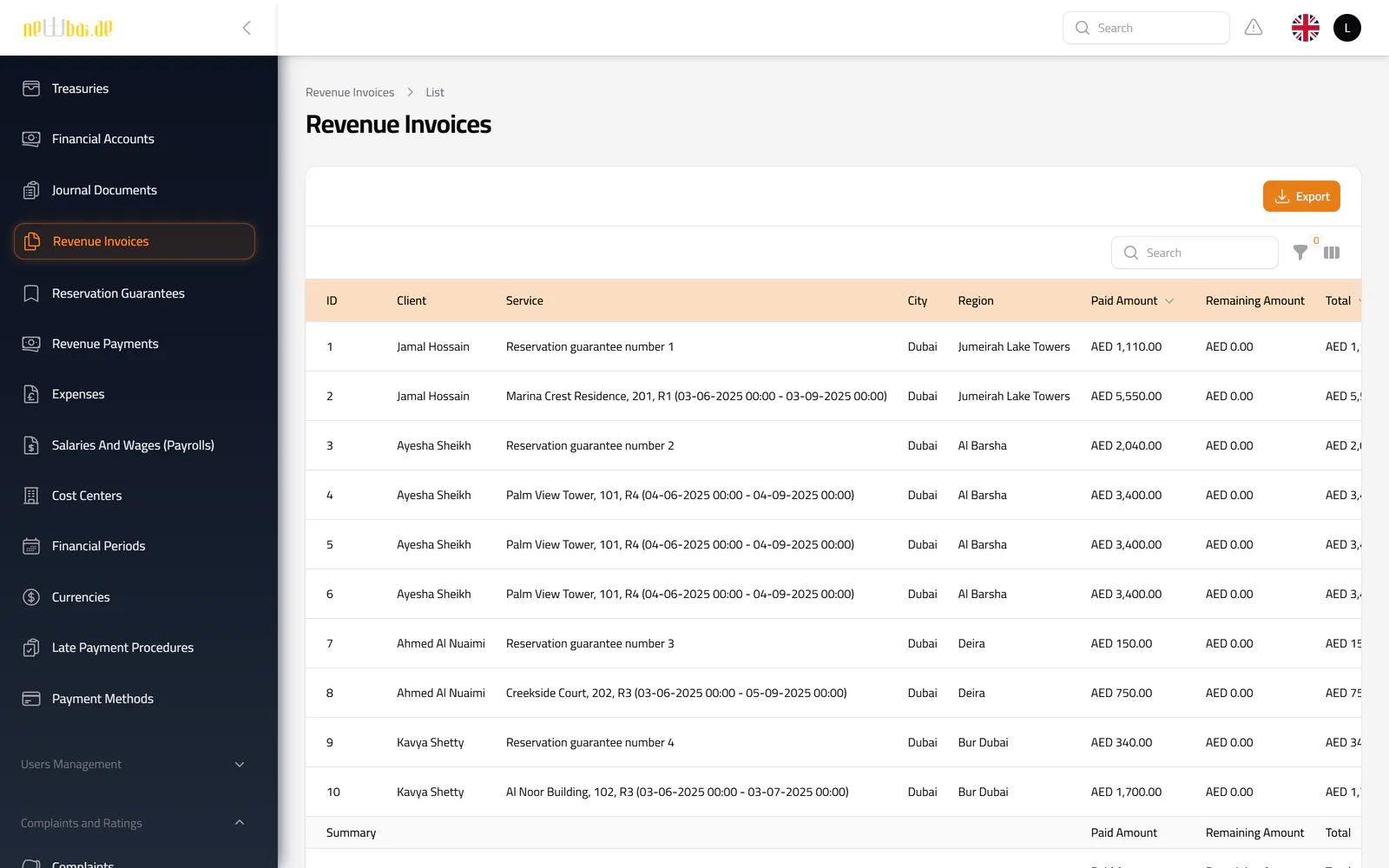
Screenshot of the Revenue invoices screen in the New Bay ERP, with fictional sample data
Revenue invoices Rent, deposit and service invoices with billing period, due date, paid and remaining amounts.
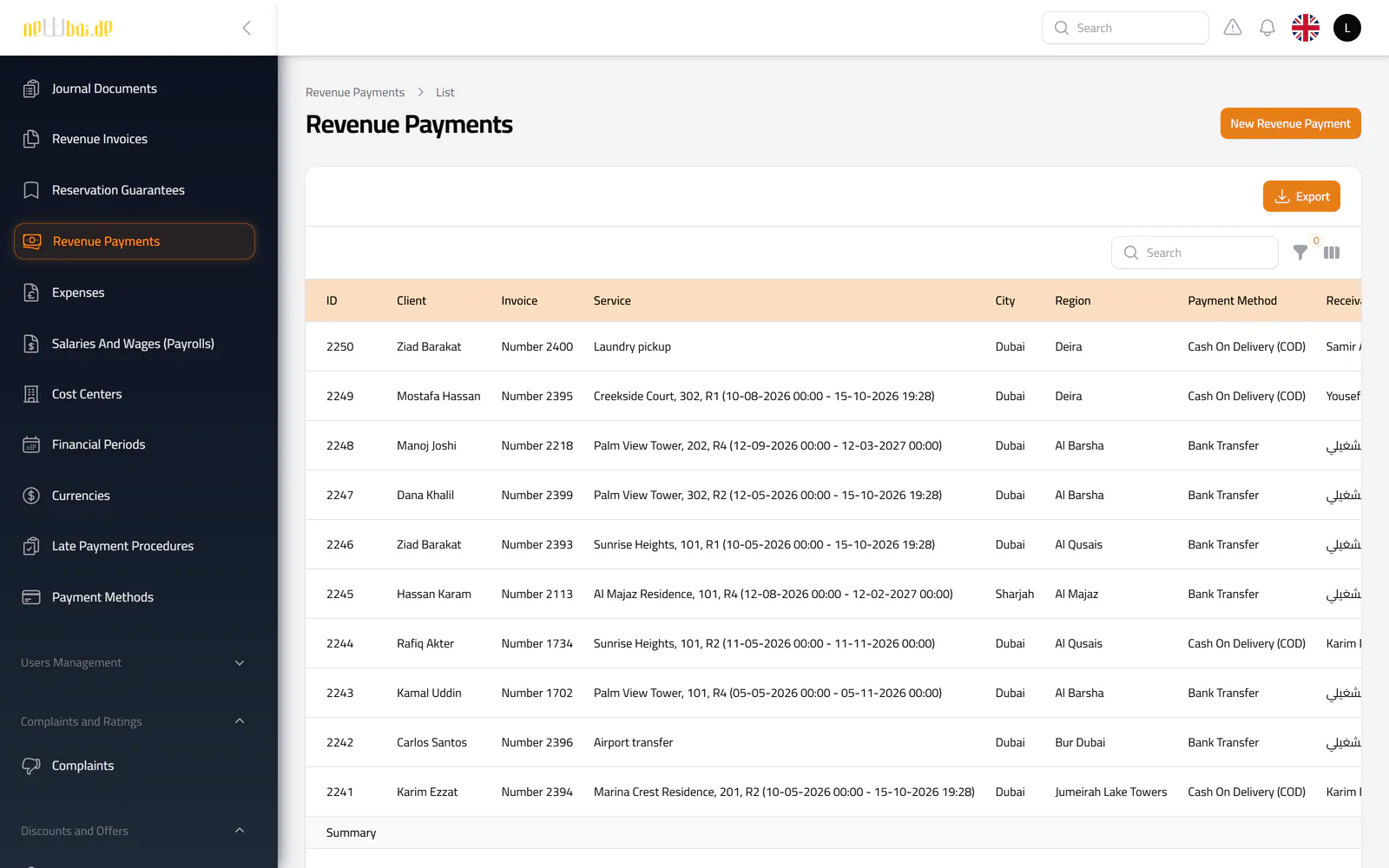
Screenshot of the Revenue payments screen in the New Bay ERP, with fictional sample data
Revenue payments Every payment with its invoice, method, receiving account, review status and journal posting state.
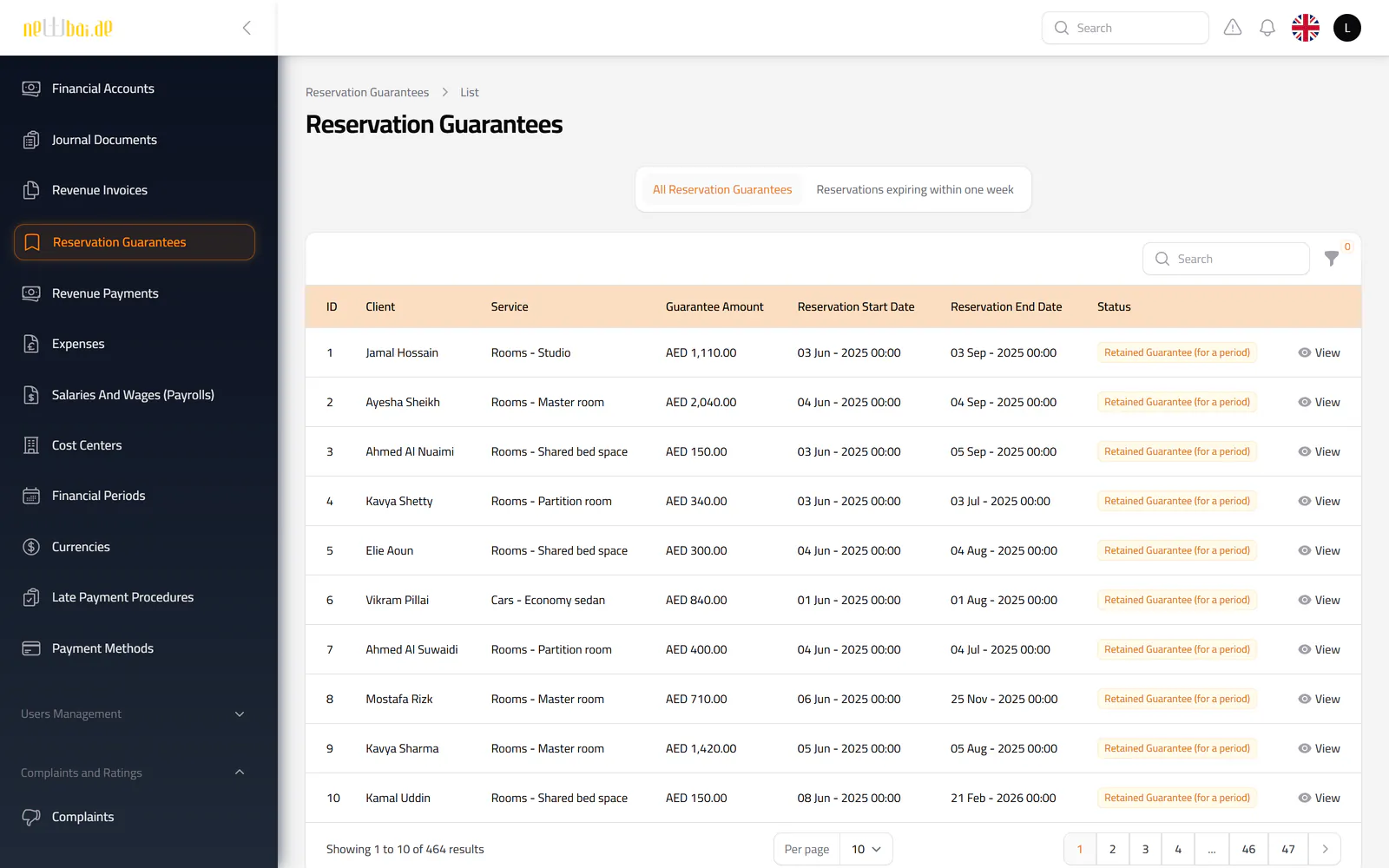
Screenshot of the Security deposits screen in the New Bay ERP, with fictional sample data
Security deposits Each reservation’s deposit with its amount, period and status: retained, retrieved or detained.
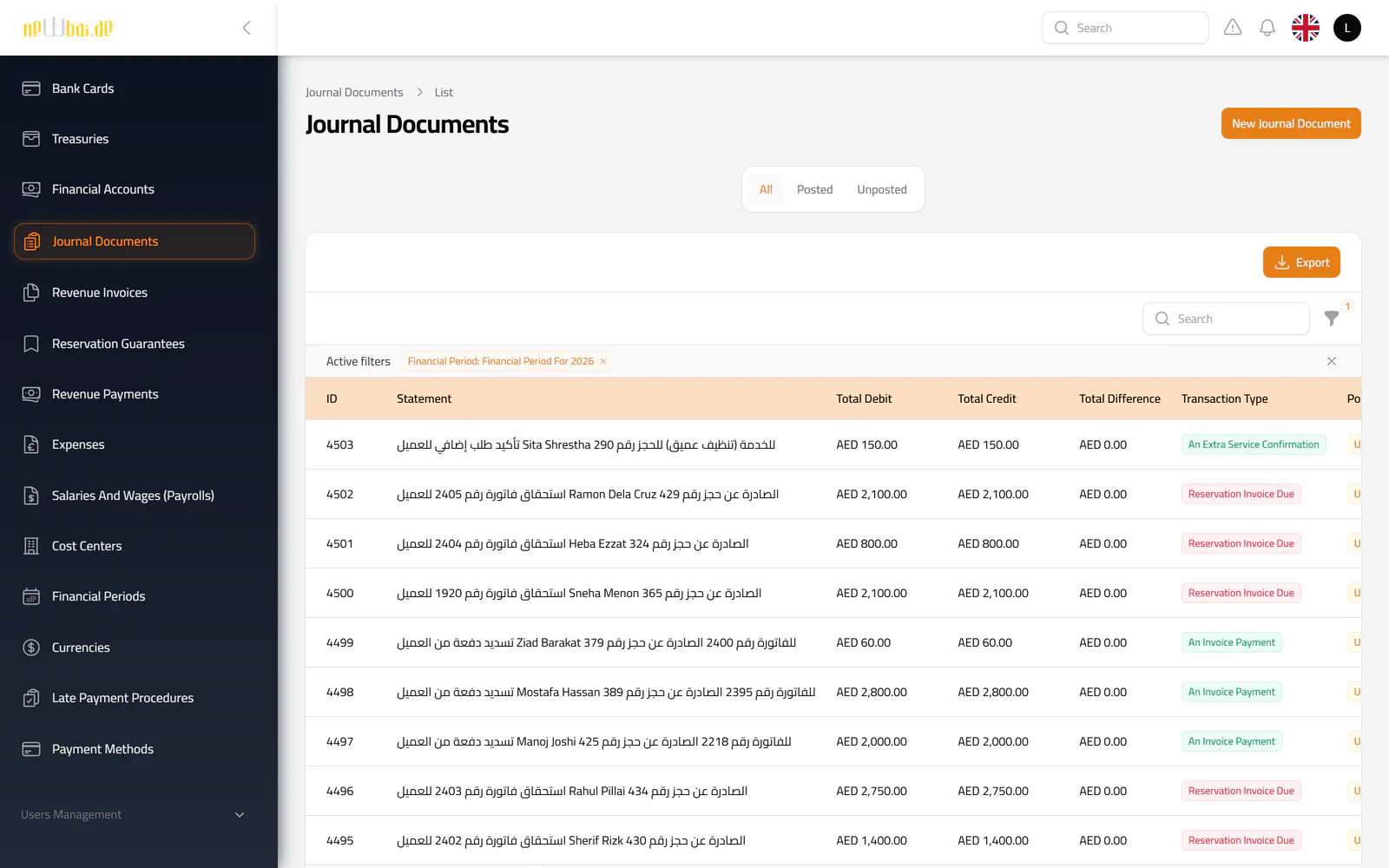
Screenshot of the Journal documents screen in the New Bay ERP, with fictional sample data
Journal documents Entries posted automatically by operations, with posting status and transaction type.
Screenshot of the Chart of accounts screen in the New Bay ERP, with fictional sample data
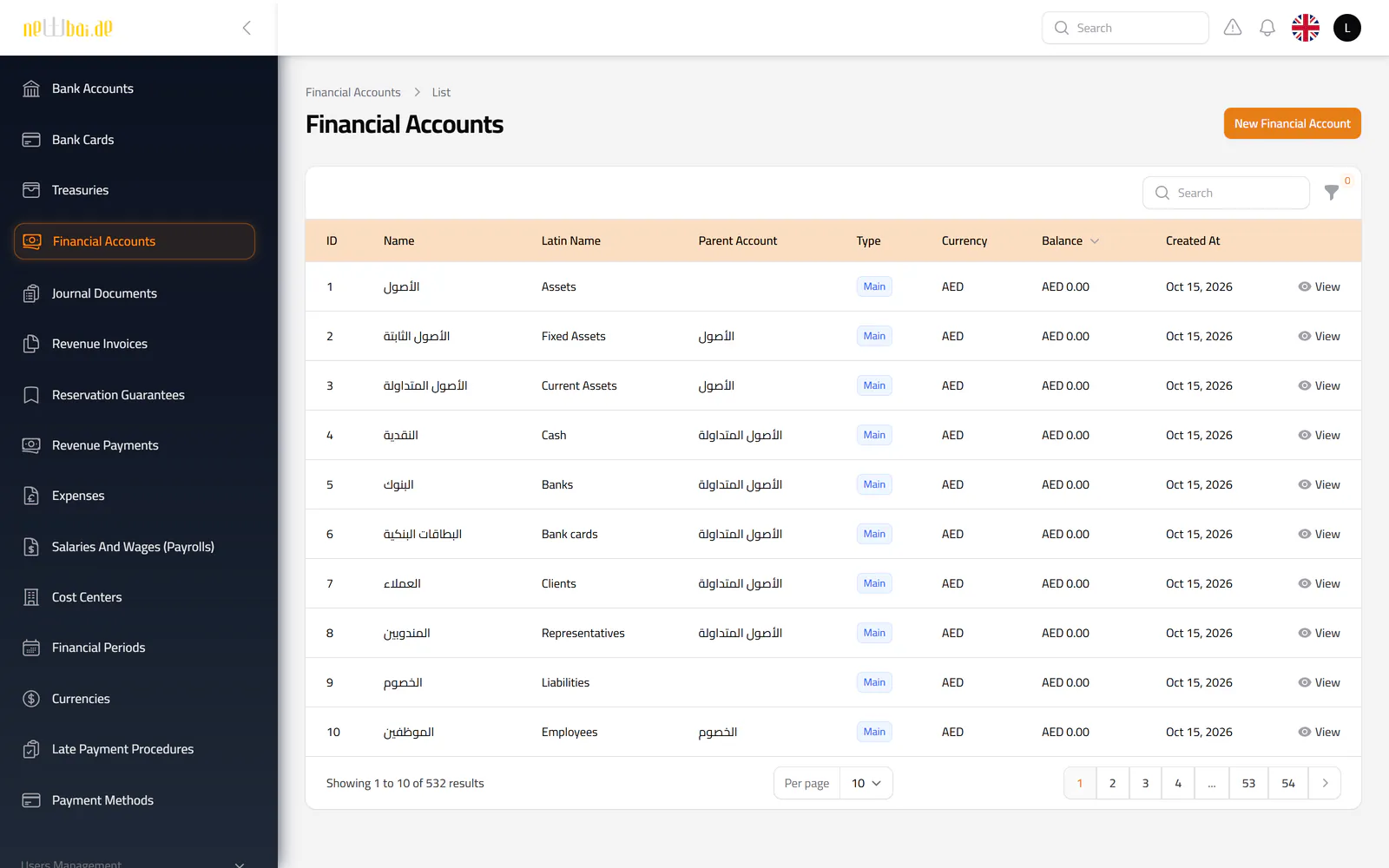
Chart of accounts The account tree, including the sub-accounts the system opens for every client, employee, treasury and bank.
Screenshot of the Collections report screen in the New Bay ERP, with fictional sample data
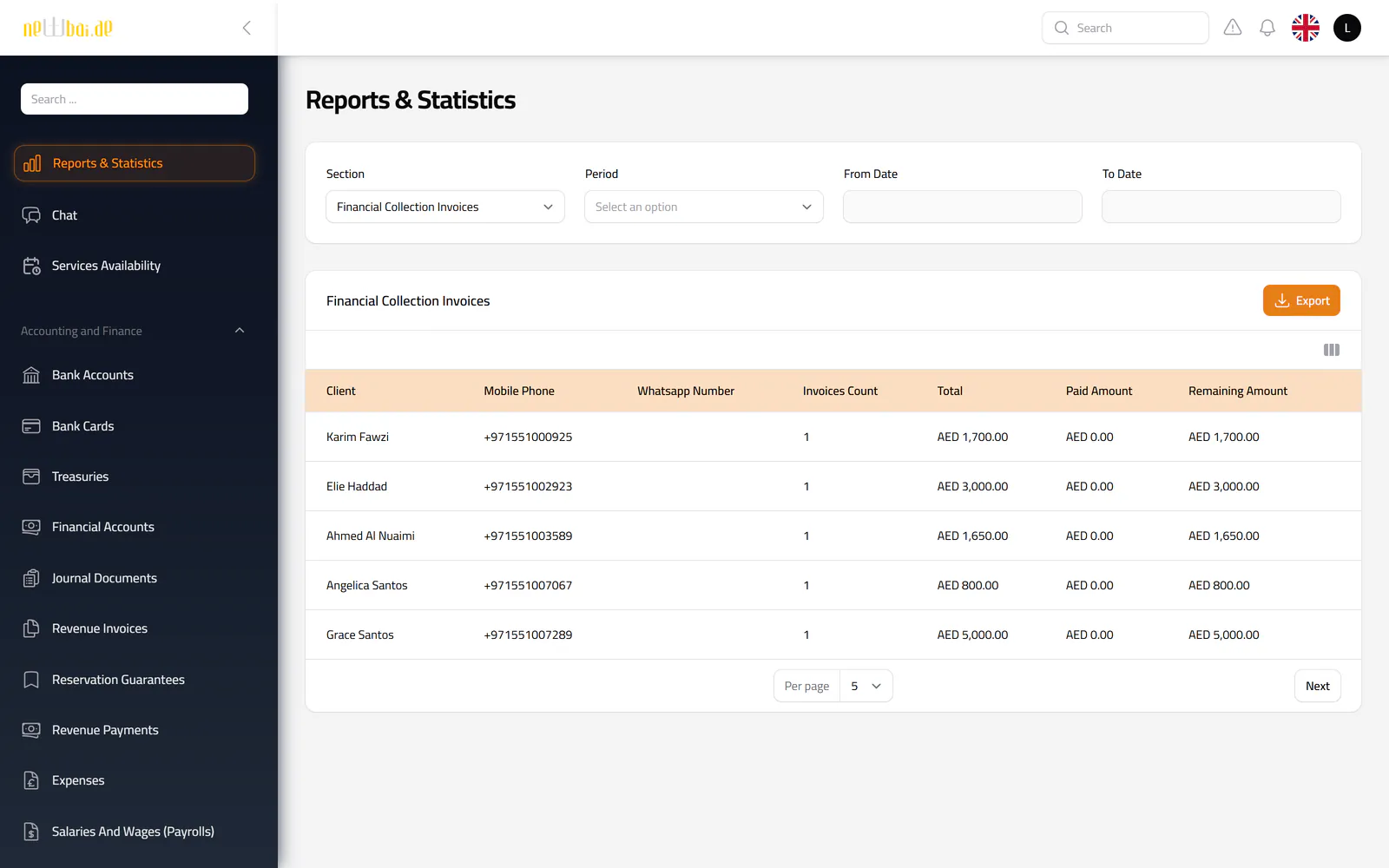
Collections report Outstanding invoices grouped by client, with phone and WhatsApp numbers for follow-up.
Screenshot of the Maintenance requests screen in the New Bay ERP, with fictional sample data
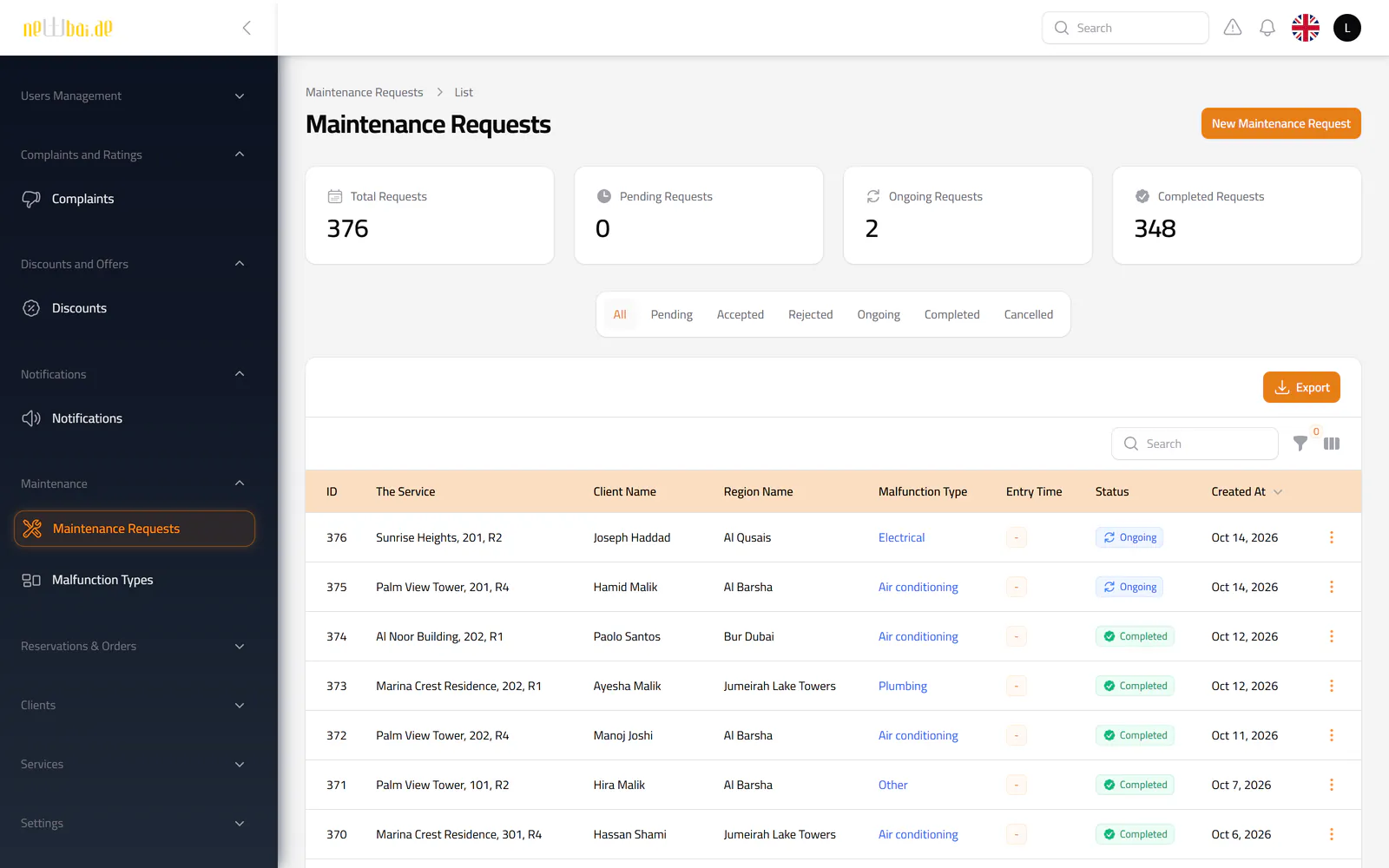
Maintenance requests Requests by unit and fault type, with the assigned officer, entry permit and status.
Screenshot of the Complaints screen in the New Bay ERP, with fictional sample data
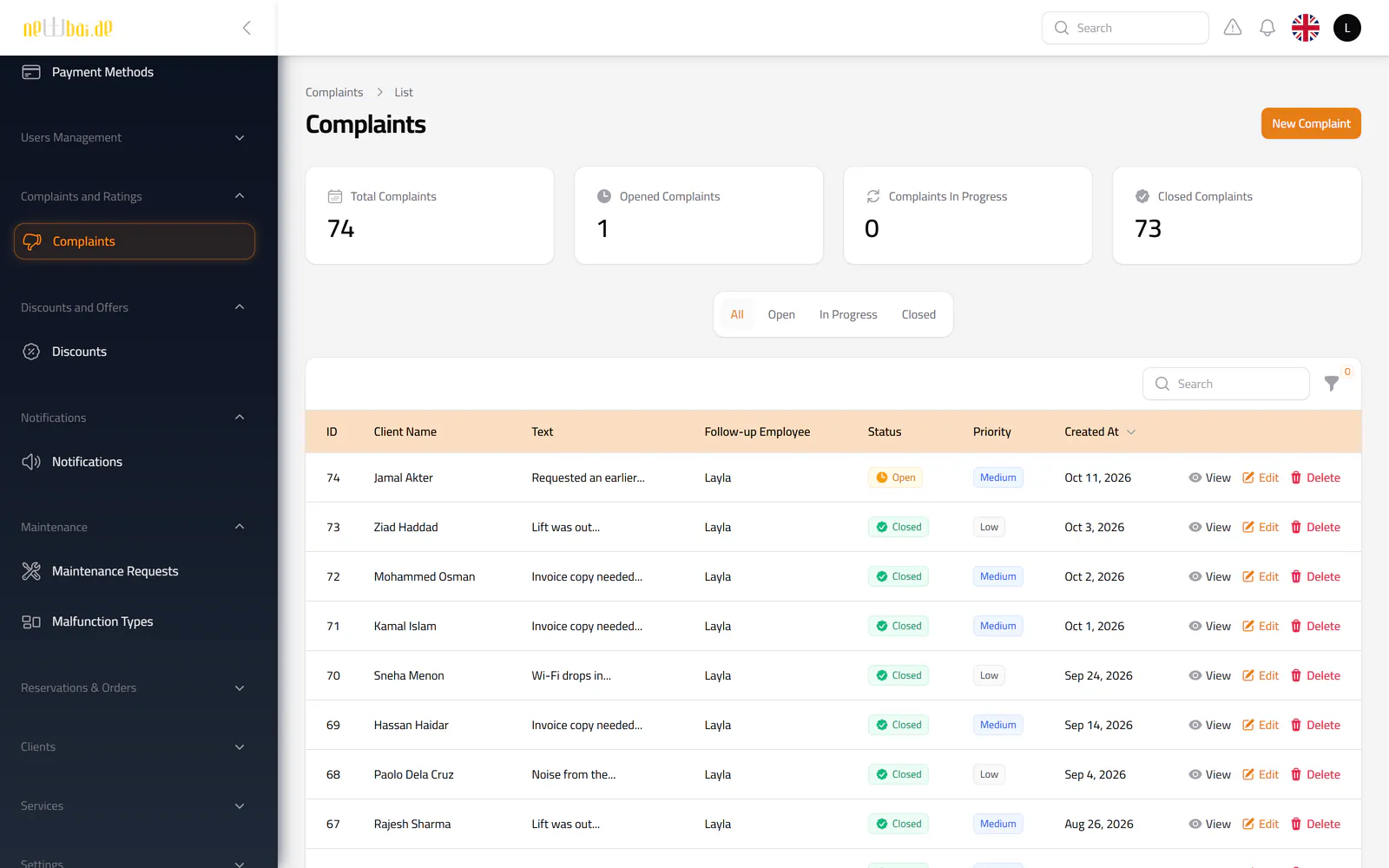
Complaints Each complaint with its priority, status and the employee following it up.
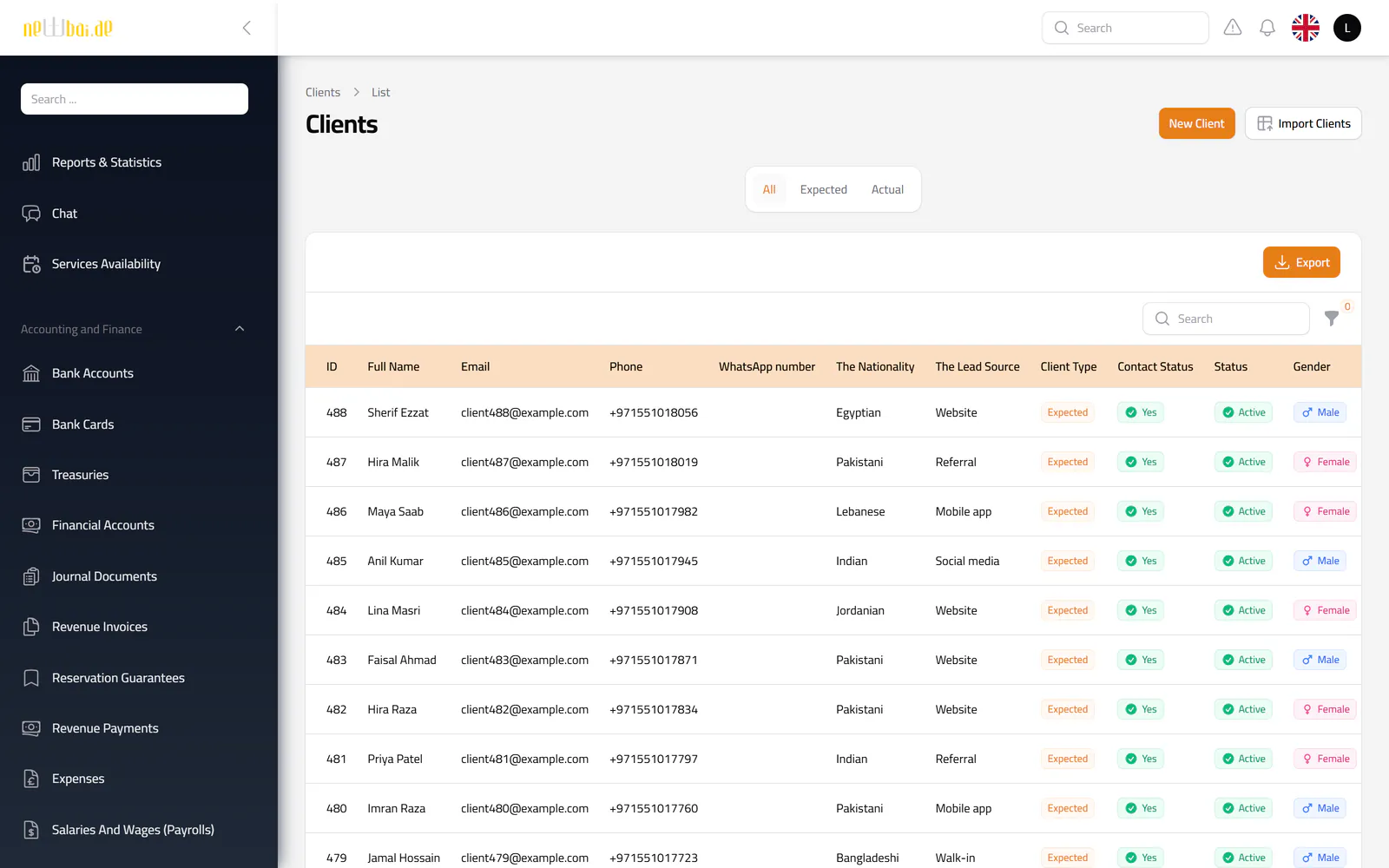
Screenshot of the Clients screen in the New Bay ERP, with fictional sample data
Clients Leads and tenants with nationality, lead source, contact status and their assigned employee.
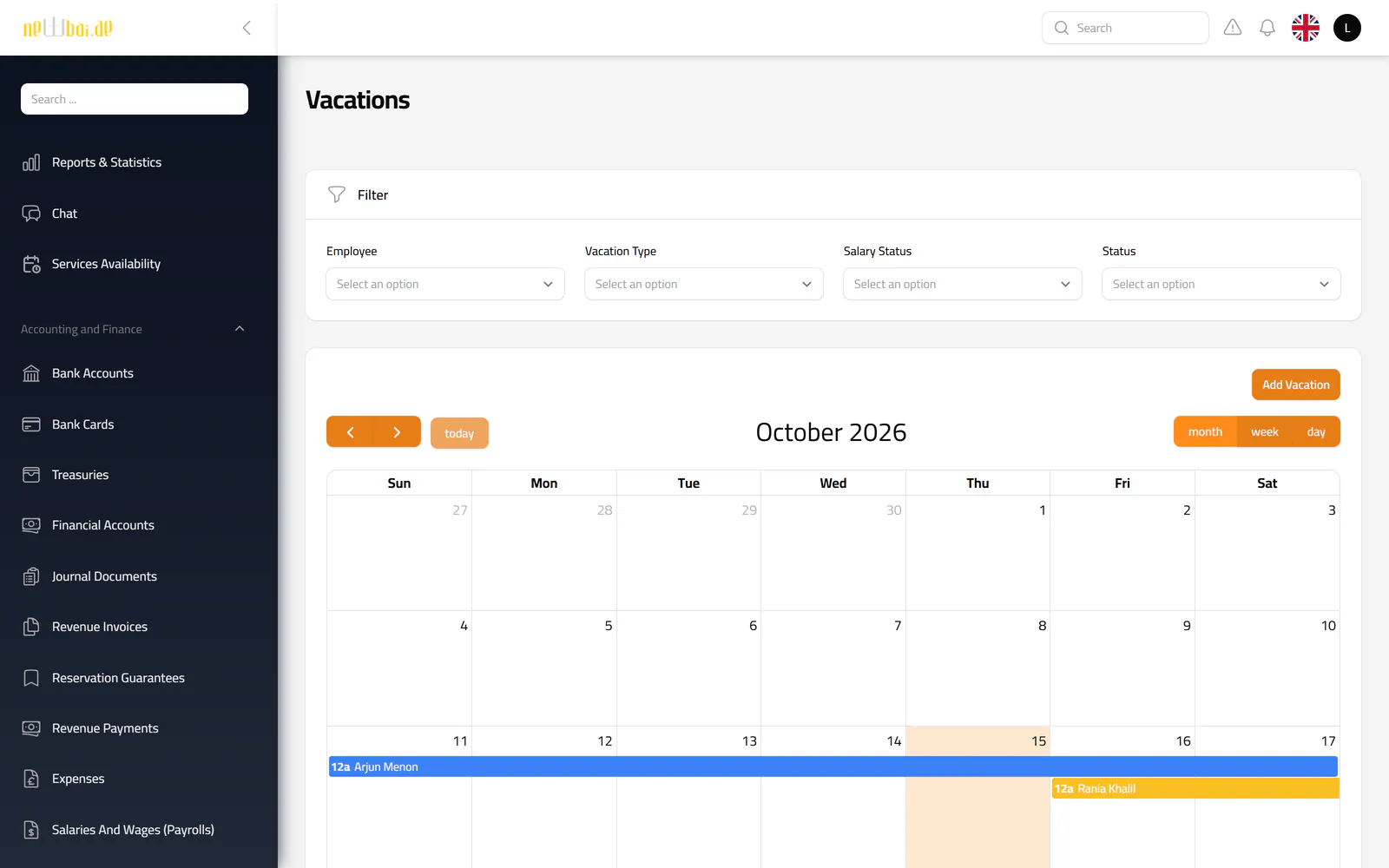
Screenshot of the Team vacations screen in the New Bay ERP, with fictional sample data
Team vacations Staff leave on a shared calendar, filtered by employee, leave type and status.
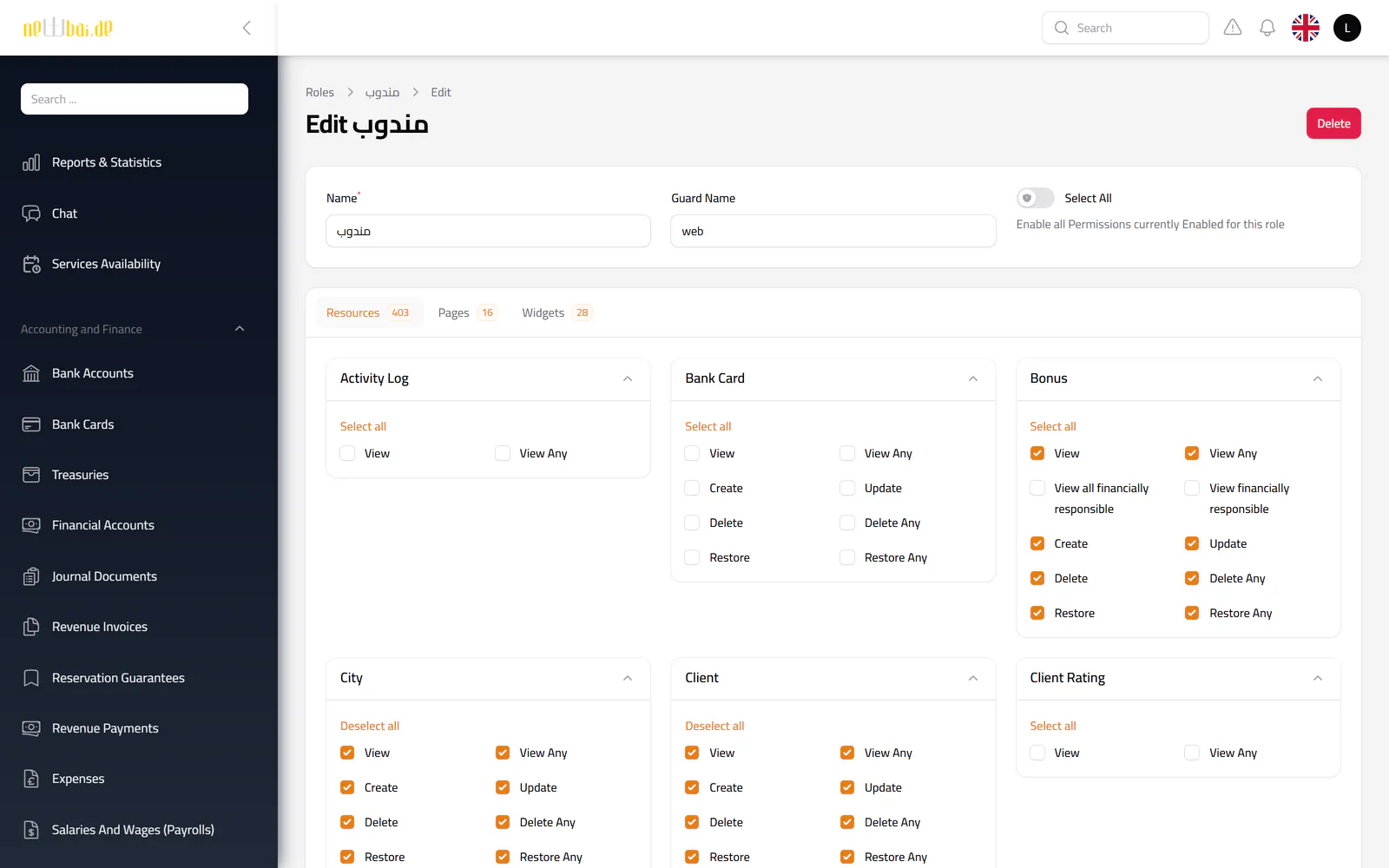
Screenshot of the Roles & permissions screen in the New Bay ERP, with fictional sample data
Roles & permissions Fine-grained permissions per role. Shown here: the sales representative role behind the staff app.
05Mobile apps

Two apps on the same system

Clients and field representatives each have their own mobile app. Both work on the ERP’s live records through a secure API, so the office sees every action as it happens.

Client app

For tenants and renters

  • Sign in with a one-time code sent by WhatsApp
  • Browse rooms and cars by city and region, check prices and book
  • Follow reservations, invoices and payments, and submit a payment
  • Request maintenance and extra services, and raise complaints
  • Rate stays, services and repairs, and chat with a representative
  • Push notifications for bookings, invoices and requests

Staff app

For sales representatives, with restricted permissions

  • Live room and car availability, tower by tower
  • Register new clients and create bookings for office approval
  • Handle the check-in, checkout, service and maintenance tasks assigned to them
  • Record collected payments and log expenses
  • Their own vacations, bonuses, insurance and warnings, with leave requests

Restricted by design

  • Representatives see only the tasks assigned to them.
  • Bookings made in the app arrive as pending requests for the office to review.
  • Cash they collect is recorded against their own custody account.
06Finance in depth

Billing and collections, built into every stay

Finance is the largest part of the system. Every invoice and every dirham received is tied to a reservation, a client and an account, and posts its own journal entry.

From booking to ledger

  1. Booking accepted
  2. Invoices issued and scheduled
  3. Invoice falls due
  4. Payment recorded
  5. Payment reviewed
  6. Entry posted

Revenue invoices

The system writes the invoices, so staff do not have to.
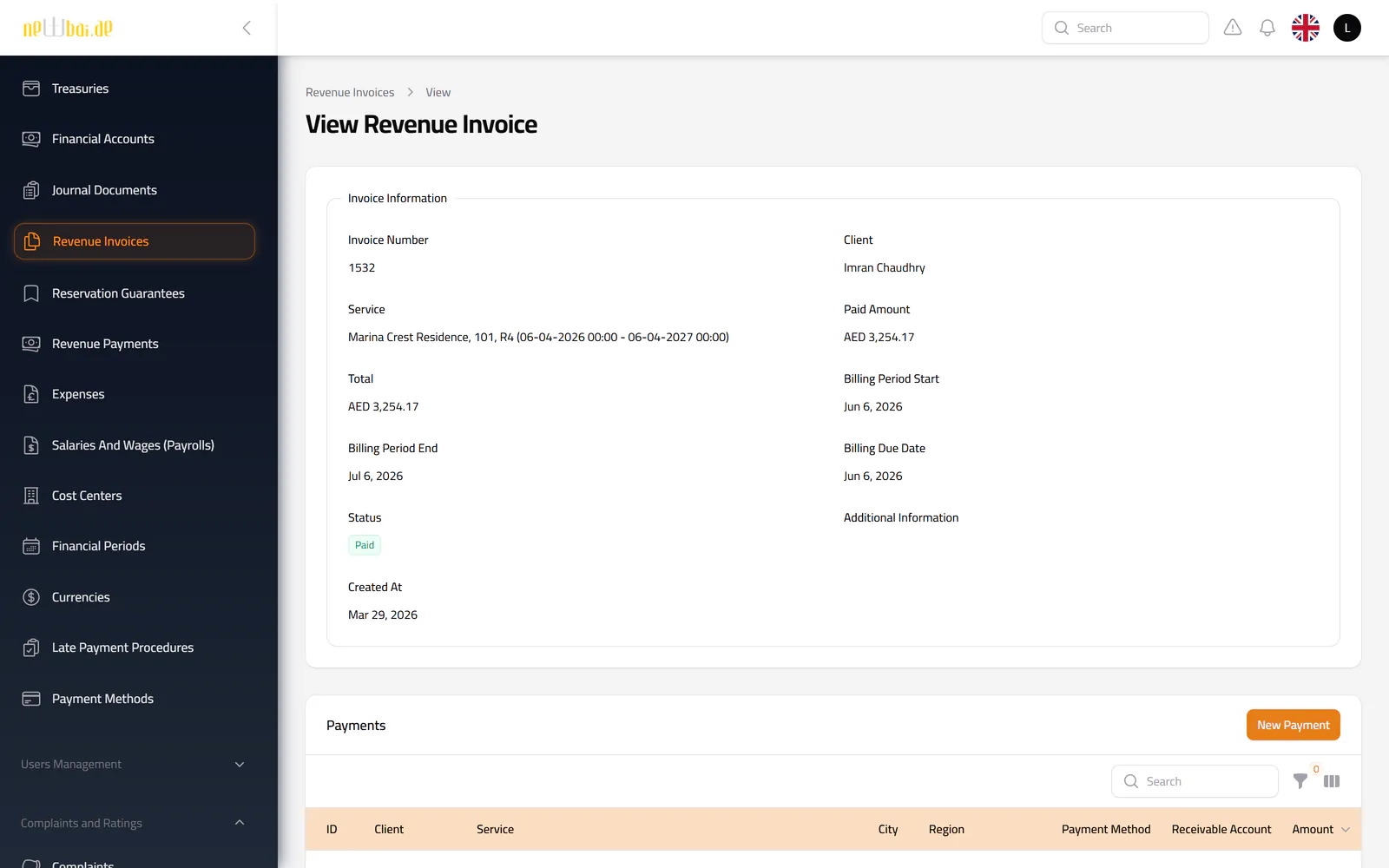
  • A security-deposit invoice and a first-month invoice the moment a booking is accepted
  • The remaining months scheduled in advance, each turning due automatically on its date
  • Open-ended stays billed month after month by the daily billing job
  • Extra services and changes of billing date invoiced on their own
  • Billing period, due date, total, paid and remaining amount on every invoice, with its payments listed beneath it
  • Six statuses: draft, scheduled, postpaid, partially paid, paid and cancelled
  • Filters by client, unit, city, region, status and due-date range, with Excel export
  • When an invoice falls due, the client is notified and the journal entry is posted
Screenshot of the Revenue invoices screen in the New Bay ERP, with fictional sample data
Fictional sample data.

Revenue payments

Money comes in from three places, and is checked before it counts.
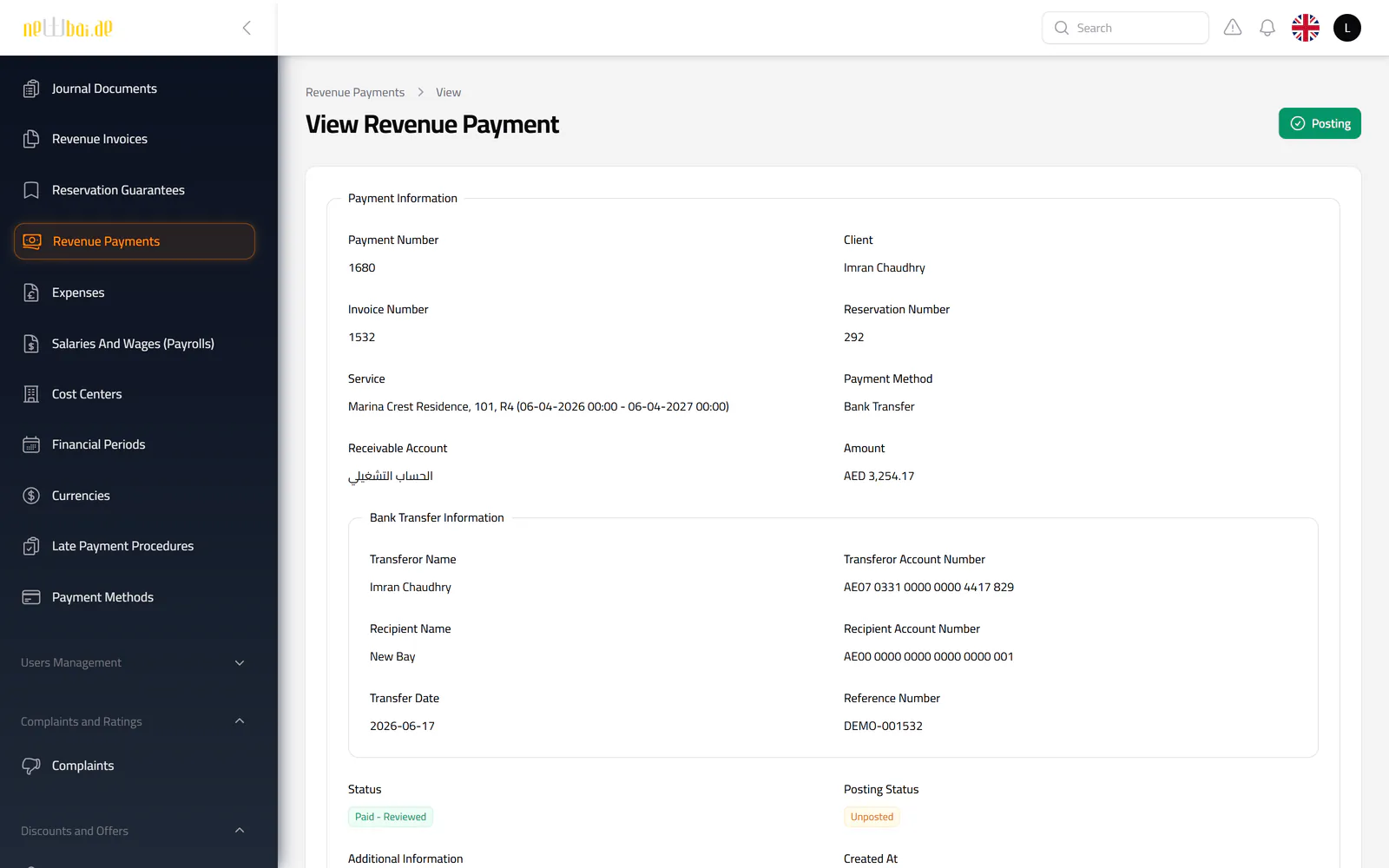
  • Recorded by the office, submitted by the client in the app, or collected by a representative
  • Bank transfer or cash, in any currency, with the exchange rate recorded
  • Transferor and recipient details, reference number, transfer date and receipt attachments
  • Each payment lands in a chosen account: a bank account, a treasury or a representative’s custody
  • Accepted, rejected, reviewed or refunded by authorised staff, every step recorded
  • Invoices move to partially paid or paid on their own
  • The payment’s journal entry posted or unposted from the payment screen
Screenshot of the Revenue payments screen in the New Bay ERP, with fictional sample data
Fictional sample data.

Around invoices and payments

Security deposits

Held as a liability for each reservation, then retained, retrieved or detained, each with its own entry.

Collections follow-up

Outstanding and overdue invoice reports with days late, plus late-payment procedures with actions and deadlines.

Ledger and cost centres

Sub-accounts opened automatically for every client, employee, bank and treasury, and cost centres per city, region and unit.

Cash, banks and cards

Treasuries with transfers between them, company bank accounts and bank cards, each with a balance enquiry.

Payroll and expenses

Payroll prepared, approved and paid with its entries; expenses charged to their accounts and cost centres.

Periods and currencies

Financial periods that close and carry balances forward, and amounts in more than one currency.
07Feature deep dives

Where the system does the heavy lifting

A reservation engine built for rentals

Capability
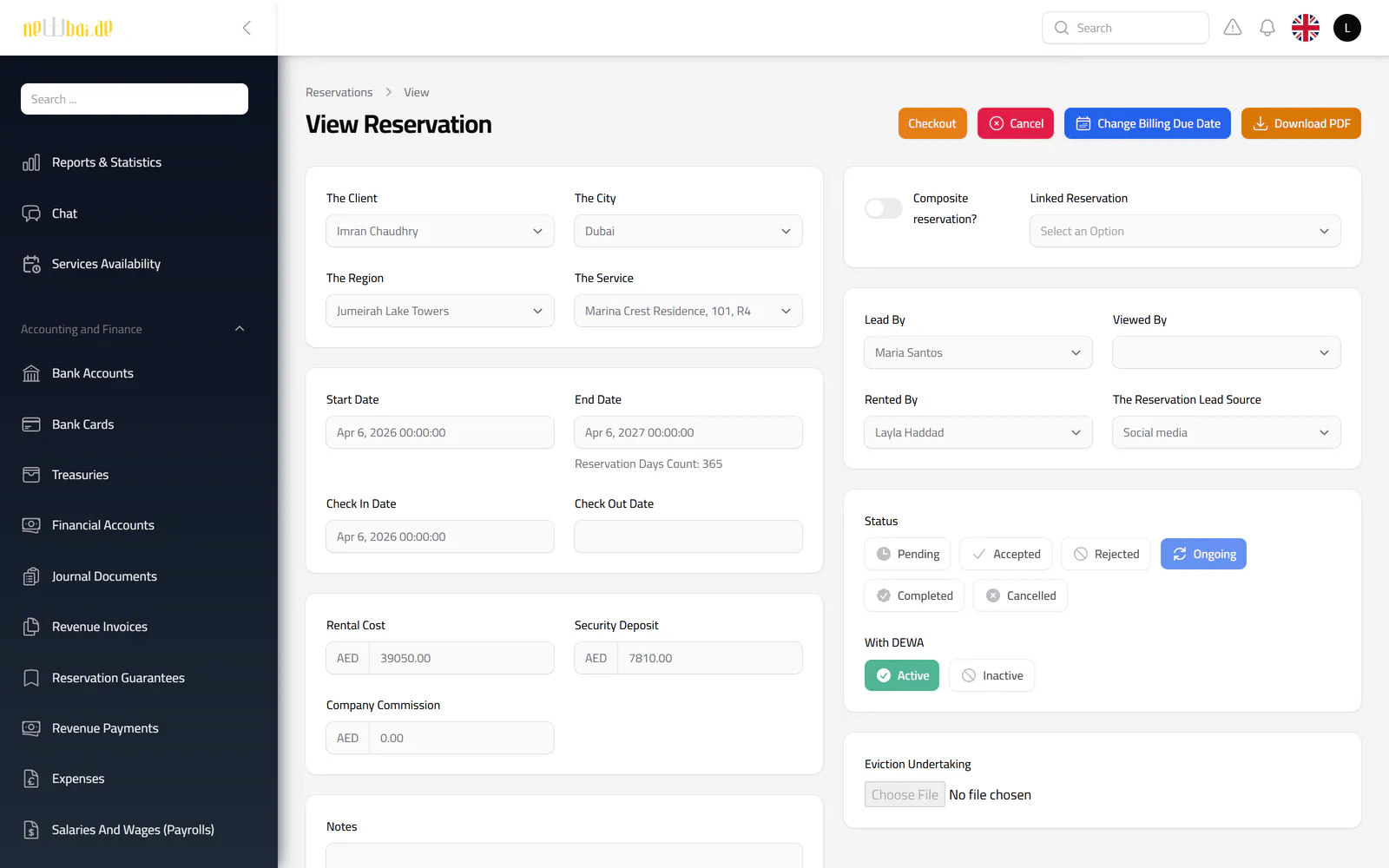
Short-term and open-ended bookings for rooms and cars, with daily, monthly and annual rates, security deposits, company commission, linked composite bookings and utilities flags.
Workflow
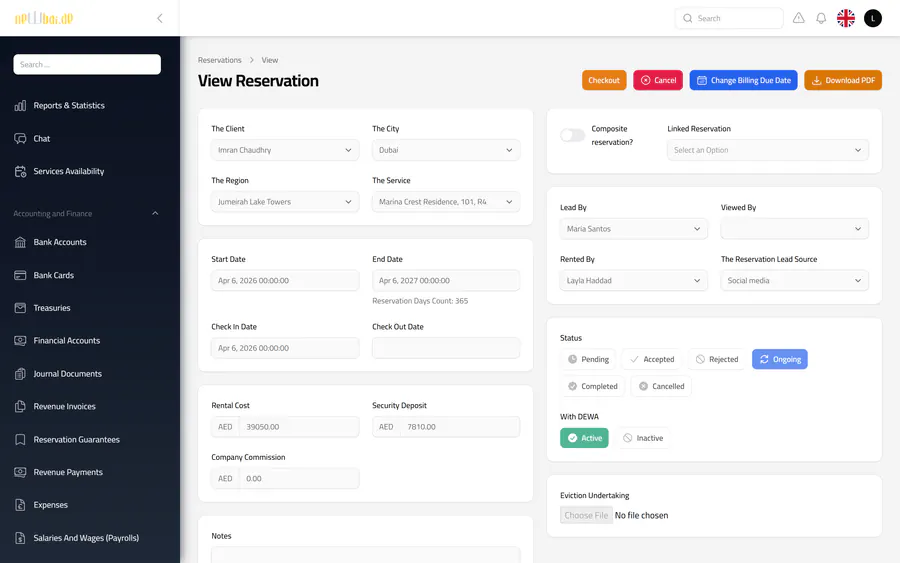
Staff create a booking, the system prices it and checks for overlaps; an authorised user accepts or rejects it, and later records checkout or a cancellation with the applicable refund.
Business value
Every booking follows the same rules and leaves the same trail, whoever takes it and wherever it is taken.
Screenshot of the A reservation engine built for rentals screen in the New Bay ERP, with fictional sample data

Field operations under control

Capability
Maintenance requests with fault types, entry permits and assigned officers; extra service orders; check-in and checkout tasks; and a live map of field representatives.
Workflow
A request is raised against a reservation, assigned, processed and completed, and the client can rate the result. Each status change notifies the people involved.
Business value
Managers see what is open, who owns it and where it stands, across every tower and region.
Screenshot of the Field operations under control screen in the New Bay ERP, with fictional sample data

Visibility for decisions

Capability
A reports dashboard with ten sections and a period filter, availability views, a reservations-ending-soon report, calendars and Excel export.
Workflow
Managers choose a section and a period; the figures and tables are read from live records, and any table can be exported for further analysis.
Business value
Bookings, occupancy and team workload are visible without assembling spreadsheets by hand.
Screenshot of the Visibility for decisions screen in the New Bay ERP, with fictional sample data
08Experience & system design

Built for the people who use it every day

Truly bilingual

A full Arabic interface with right-to-left layout alongside English, with each user’s language remembered and reference data such as city, region and tower names stored in both.

Role- and region-based access

Permissions cover every screen and sensitive action, and regional managers can be limited to their own region’s bookings, invoices and payments.

Accountability built in

Key changes are written to an activity log, and accounting entries carry a posted or unposted status that only authorised users can change.

People kept informed

New bookings, status changes, due invoices and ending stays trigger in-app and push notifications to the right staff and clients.

Fast to run day to day

Searchable navigation, filterable tables, calendar views and bulk import of clients, units, employees, cities and regions.

One API, two apps

Both mobile apps work on the ERP’s live records through a token-secured API, so there is one set of data and one set of rules.

09Sample results

An operating year, as the system reports it

What a rental business sees when every booking, invoice, payment, cost and repair runs through one system.

Illustrative example These are not New Bay’s figures. They come from a fictional operation of 110 rooms and 12 cars, run day by day through the ERP’s own booking, billing, payment, expense and payroll logic, then read back from its records (October 2025 – September 2026, in UAE dirhams).

Revenue & profit

Rent invoiced
AED 3.1M12 months
Operating profit
AED 593K
Operating margin
19.1%
Rent paid within 7 days
79.1%99.5% collected overall
Rent invoiced per monthRooms and cars, by billing month
  • Rooms
  • Cars
Show the numbers
MonthRoomsCarsTotal
Oct 2025AED 209,454AED 26,350AED 235,804
Nov 2025AED 215,608AED 23,700AED 239,308
Dec 2025AED 234,946AED 26,350AED 261,296
Jan 2026AED 238,462AED 26,350AED 264,812
Feb 2026AED 233,479AED 21,650AED 255,129
Mar 2026AED 255,900AED 33,650AED 289,550
Apr 2026AED 234,138AED 33,650AED 267,788
May 2026AED 249,542AED 33,400AED 282,942
Jun 2026AED 216,146AED 27,850AED 243,996
Jul 2026AED 212,067AED 26,000AED 238,067
Aug 2026AED 226,171AED 25,200AED 251,371
Sep 2026AED 239,454AED 31,500AED 270,954
Operating profit per monthRent invoiced minus building leases, utilities, operating costs and salaries
Show the numbers
MonthOperating profit per month
Oct 2025AED 35,739
Nov 2025AED 42,667
Dec 2025AED 66,923
Jan 2026AED 68,093
Feb 2026AED 46,177
Mar 2026AED 80,063
Apr 2026AED 54,860
May 2026AED 71,063
Jun 2026AED 25,291
Jul 2026AED 18,499
Aug 2026AED 30,505
Sep 2026AED 52,777

Every figure comes from records the ERP keeps: revenue invoices, expenses by account and approved payroll. Security deposits are held as liabilities, not counted as revenue. The ERP has no profit-and-loss report; operating profit here is derived from those records.

Units & occupancy

Units in the portfolio
122110 rooms · 12 cars
Rented today
116rooms and cars
Average occupancy
92.7%
Average stay
130 days
Occupancy per monthShare of available unit-days that were rented
  • Rooms
  • Cars
Show the numbers
MonthRoomsCars
Oct 202594.1%93.9%
Nov 202597.0%95.7%
Dec 202596.5%94.8%
Jan 202693.2%92.3%
Feb 202697.2%90.7%
Mar 202695.7%83.7%
Apr 202695.8%93.1%
May 202695.6%94.9%
Jun 202693.8%90.6%
Jul 202684.5%81.7%
Aug 202686.0%69.1%
Sep 202689.9%83.1%
Occupancy by unit typeSeptember 2026
  • Studios95%
  • Sedans90%
  • Partition rooms90%
  • Bed spaces90%
  • Master rooms88%
  • SUVs68%
Show the numbers
Unit typeOccupancy
Studios94.6%
Sedans90.4%
Partition rooms90.2%
Bed spaces89.9%
Master rooms87.6%
SUVs68.3%

For a rental business the stock is its rooms and cars. The ERP tracks which are free, rented or under cleaning; occupancy here is calculated from the reservation records. A new building and two cars joined the portfolio during the year.

Maintenance requests

Requests
299
Completed
92%
Average time to close
2.2 days
Requests last month
36Sep 2026
Requests per monthBy fault type
  • Air conditioning
  • Plumbing
  • Electrical, furniture & other
Show the numbers
MonthAir conditioningPlumbingElectrical, furniture & otherTotal
Oct 202589623
Nov 202504812
Dec 2025571527
Jan 2026481123
Feb 2026091019
Mar 20267101835
Apr 202657921
May 2026751123
Jun 2026155929
Jul 2026126624
Aug 2026117927
Sep 2026227736
Requests by fault type12 months
  • Air conditioning96
  • Plumbing84
  • Electrical47
  • Other43
  • Furniture & fixtures29
Show the numbers
Fault typeRequests
Air conditioning96
Plumbing84
Electrical47
Other43
Furniture & fixtures29

Requests come from the client app or the office, are assigned to an officer and closed in the system, so volume, response time and the summer rise in air-conditioning calls are visible as they happen.

10Project scope

Technical overview

A modular build, so each area can evolve without disturbing the others.

Platform
Laravel 11 · PHP 8.2+
Interface
Filament 3 · Livewire 3 · Tailwind CSS
Architecture
8 independent business modules
Database
MySQL
Mobile
Client app · staff app · REST API
Integrations
Push notifications · WhatsApp OTP
Documents
Excel exports · reservation PDF
Next project SalesX — Sales, Custody & Commission Platform

Your operation deserves its own system

MagnAct designs and builds ERP and management platforms around the way your business already works. Tell us about your operation and we will map out what it needs.

info@magnact.com
MagnAct