İçeriğe geç
Case study · E-commerce

An online phone store with the whole shop running behind it

KN Phone sells phones, accessories and audio gear in Damascus and repairs iPhone and Samsung devices in its own lab. MagnAct designed and built its bilingual online store and the dashboard that runs the business: orders, stock, counter sales, cash, repairs, reviews and reports.

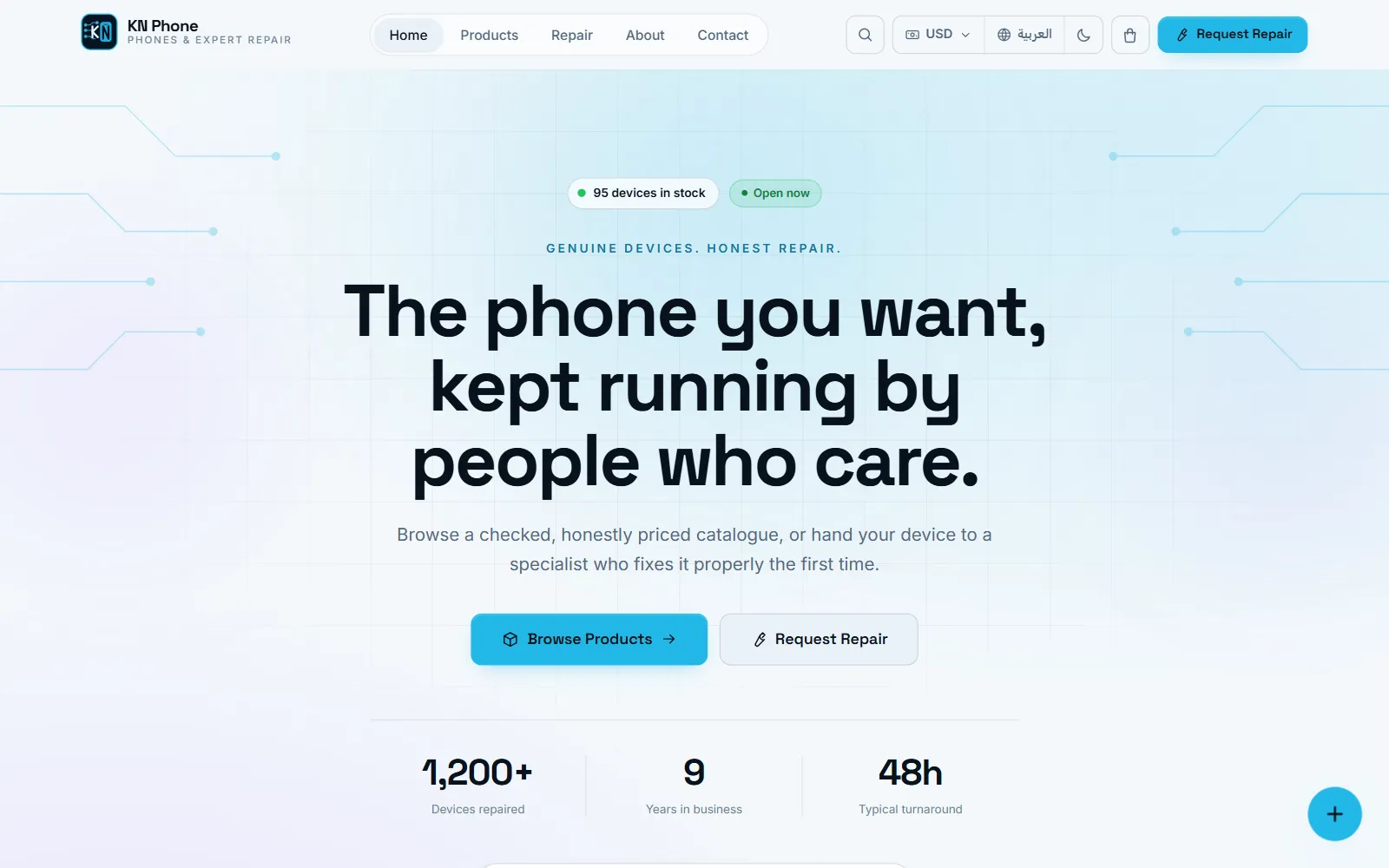
KN Phone storefront home page with sample data
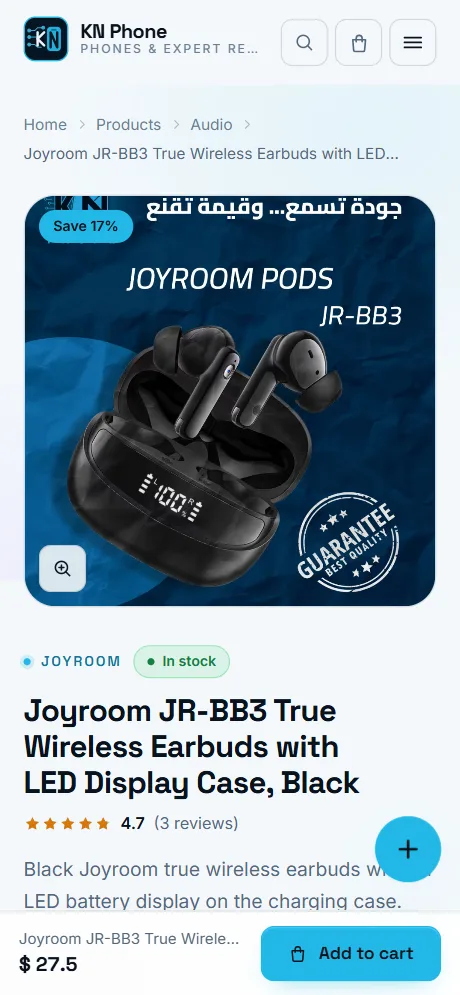
KN Phone product page on a phone, with sample data
Real interface and catalogue. Prices, stock, orders, customers and reviews are sample data.
Client
KN Phone
Location
Damascus, Syria
Industry
Phone retail & repair
Delivered
Online store + management dashboard
Languages
Arabic & English
28 management screens in the dashboard
6 order statuses, from new to completed or cancelled
5 print-ready business reports
470+ automated tests guarding the code
01The project

From a shop counter to a complete online business

  1. Business concept

    KN Phone combines a retail counter with a repair lab. It confirms every order personally, by phone or WhatsApp, so the store was built around that habit: no accounts and no passwords. A phone number is the customer’s identity.

  2. Customer shopping journey

    Customers browse by category or search in Arabic or English, narrow by price and availability, and read a product page that shows the price, the saving, the stock level, the reviews and the delivery terms before they commit.

  3. E-commerce capabilities

    A cart and a short guest checkout, delivery or pickup with a configurable fee and free-delivery threshold, sale prices, prices in US dollars or Syrian pounds, moderated reviews and repair requests, all in two languages.

  4. Operational management

    Behind the storefront, one dashboard runs orders and customers, a stock ledger, counter sales, the cash box, repairs, reviews, analytics and printable reports, with separate rights for the owner and the staff.

  5. Business value

    Online orders, walk-in sales and repairs meet in one system. Stock moves when an order is placed and comes back if it is cancelled, completed orders count as sales, and the owner reads sales, profit and cash from the same records.

02The customer journey

Designed around how people buy from a phone shop

Six steps from first visit to a confirmed order, most of them on a phone screen.

  1. Discover

    The home page leads with real stock: featured and new arrivals, categories that hide themselves when empty, and products the visitor viewed earlier.

  2. Find

    Search matches every word in either language across name, brand, model number, description and category, with price, in-stock and sort filters.

  3. Evaluate

    A zoomable gallery, the sale price and saving, honest availability, ratings and reviews, and pickup and delivery terms stated up front.

  4. Decide

    Add to the cart and keep browsing, or order a single item in one step with “Order now”. A free-delivery hint shows how close the basket is.

  5. Check out

    Name and number, delivery or pickup, preferred contact. Details survive a trip back to the cart, and a double tap cannot place a second order.

  6. Confirm

    A reference number with a copy button and a prefilled WhatsApp message. The team calls to confirm, and the order is already in the dashboard.

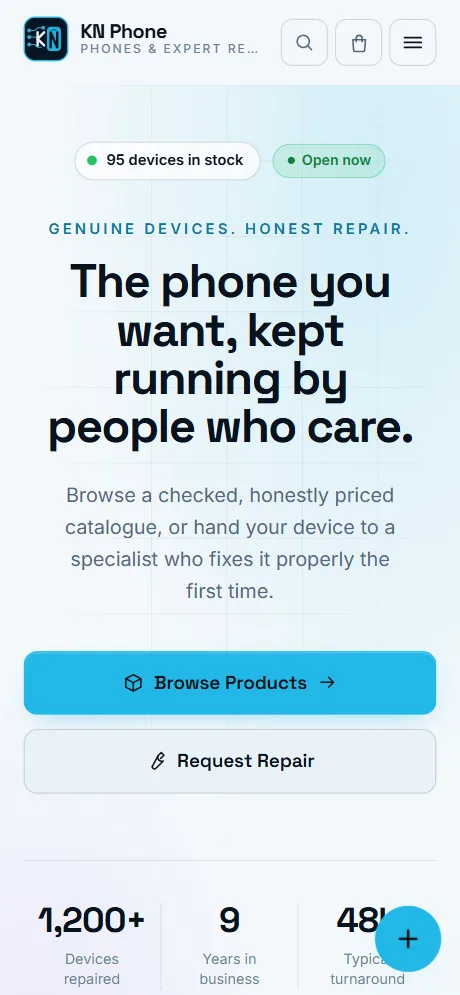
KN Phone Home screen on a phone, with sample data
Home
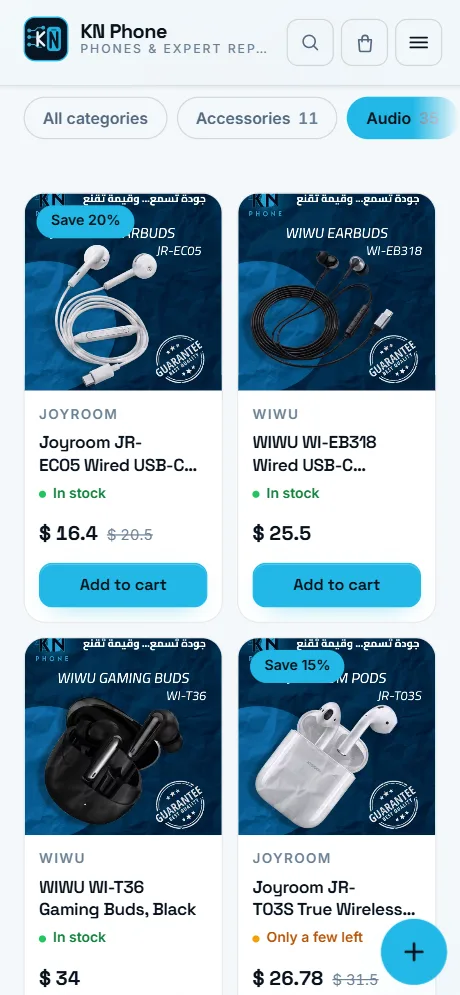
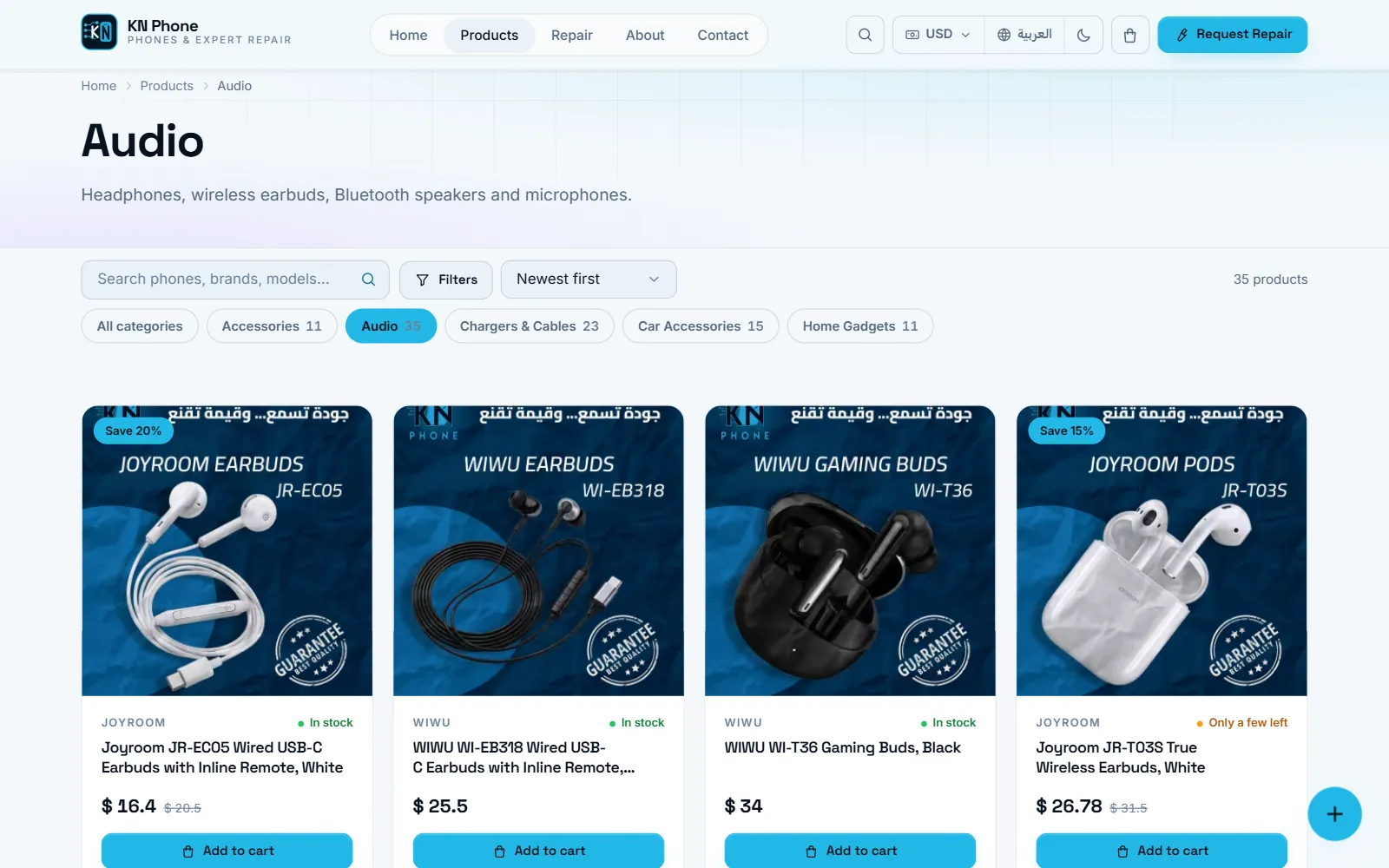
KN Phone Catalogue screen on a phone, with sample data
Catalogue
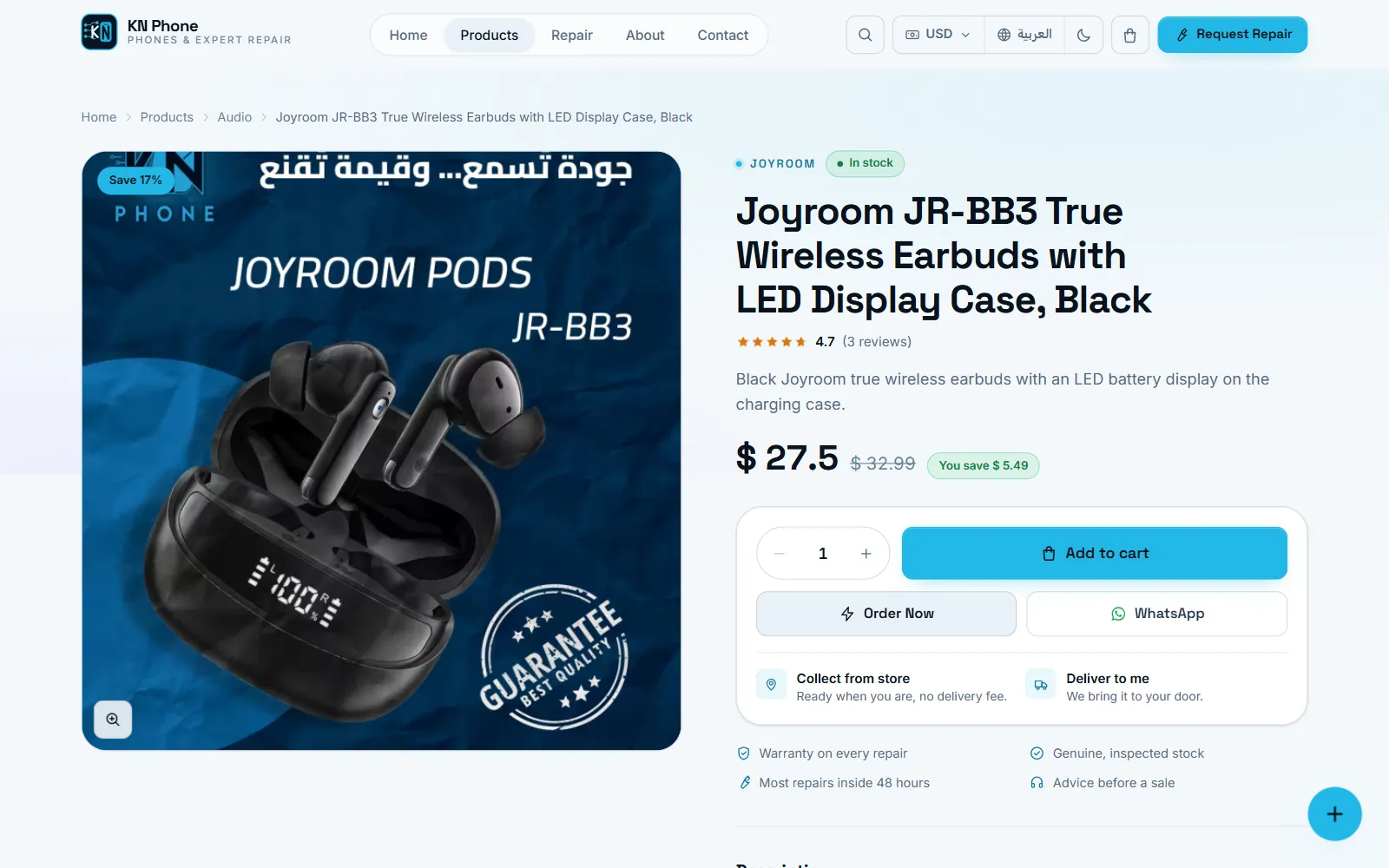
KN Phone Product page screen on a phone, with sample data
Product page
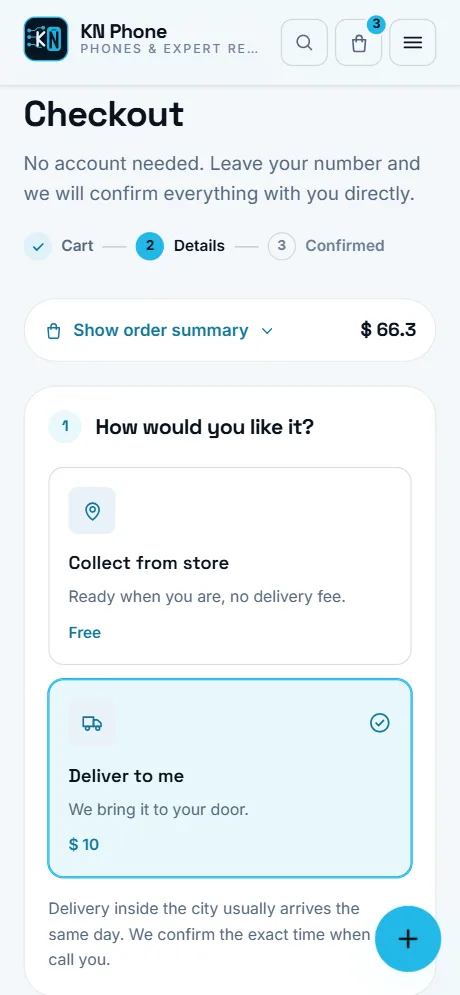
KN Phone Checkout screen on a phone, with sample data
Checkout
03Inside the storefront

A walk through the shop

The live store’s interface and catalogue, captured with sample prices, stock and customers.

Screenshot of the Home page screen in KN Phone, with sample data
Home page Live stock count and opening status, categories, featured and new products, reviews and the repair service on one page.
Screenshot of the Catalogue screen in KN Phone, with sample data
Catalogue Categories with counts, multi-word search, price range, in-stock only and four sort orders, with more products loaded in place.
Screenshot of the Product page screen in KN Phone, with sample data
Product page Gallery with zoom, sale price and saving, availability, rating, add to cart, one-step order and WhatsApp in the buy box.
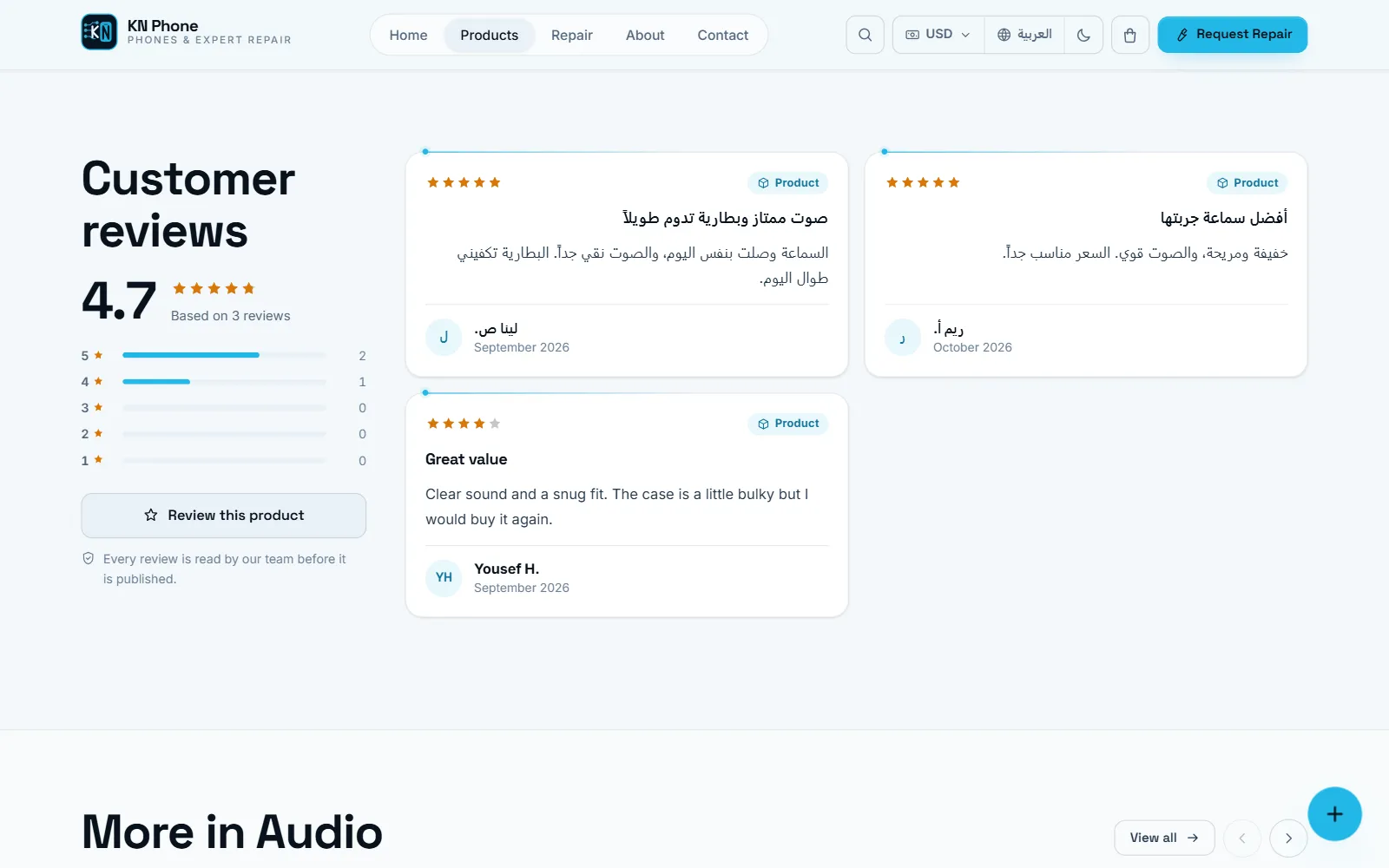
Screenshot of the Reviews screen in KN Phone, with sample data
Reviews A rating summary and moderated reviews under each product; customers can add their own, with an optional photo.
Screenshot of the Cart screen in KN Phone, with sample data
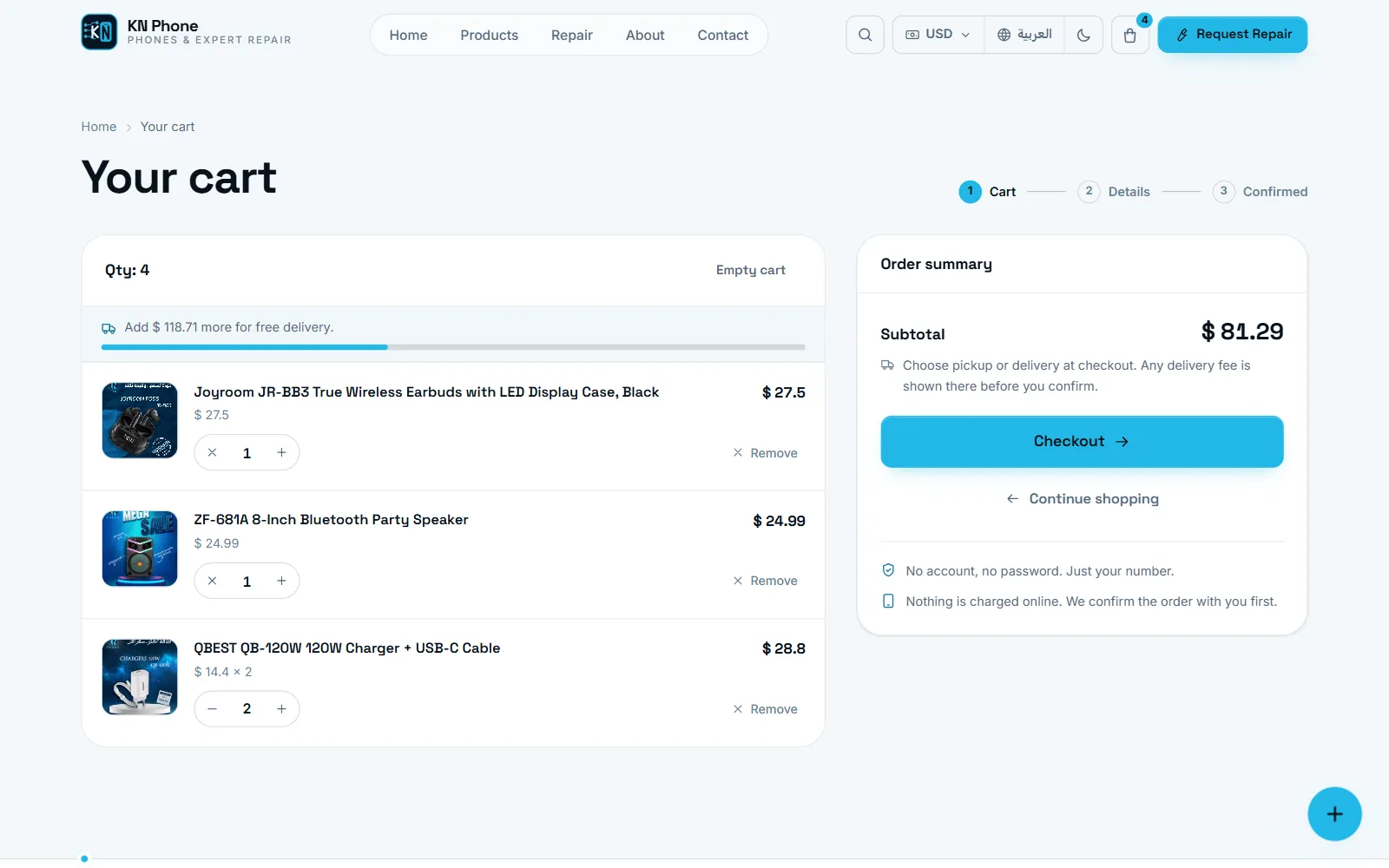
Cart Quantities, line totals and the delivery fee with the amount left until delivery becomes free.
Screenshot of the Checkout screen in KN Phone, with sample data
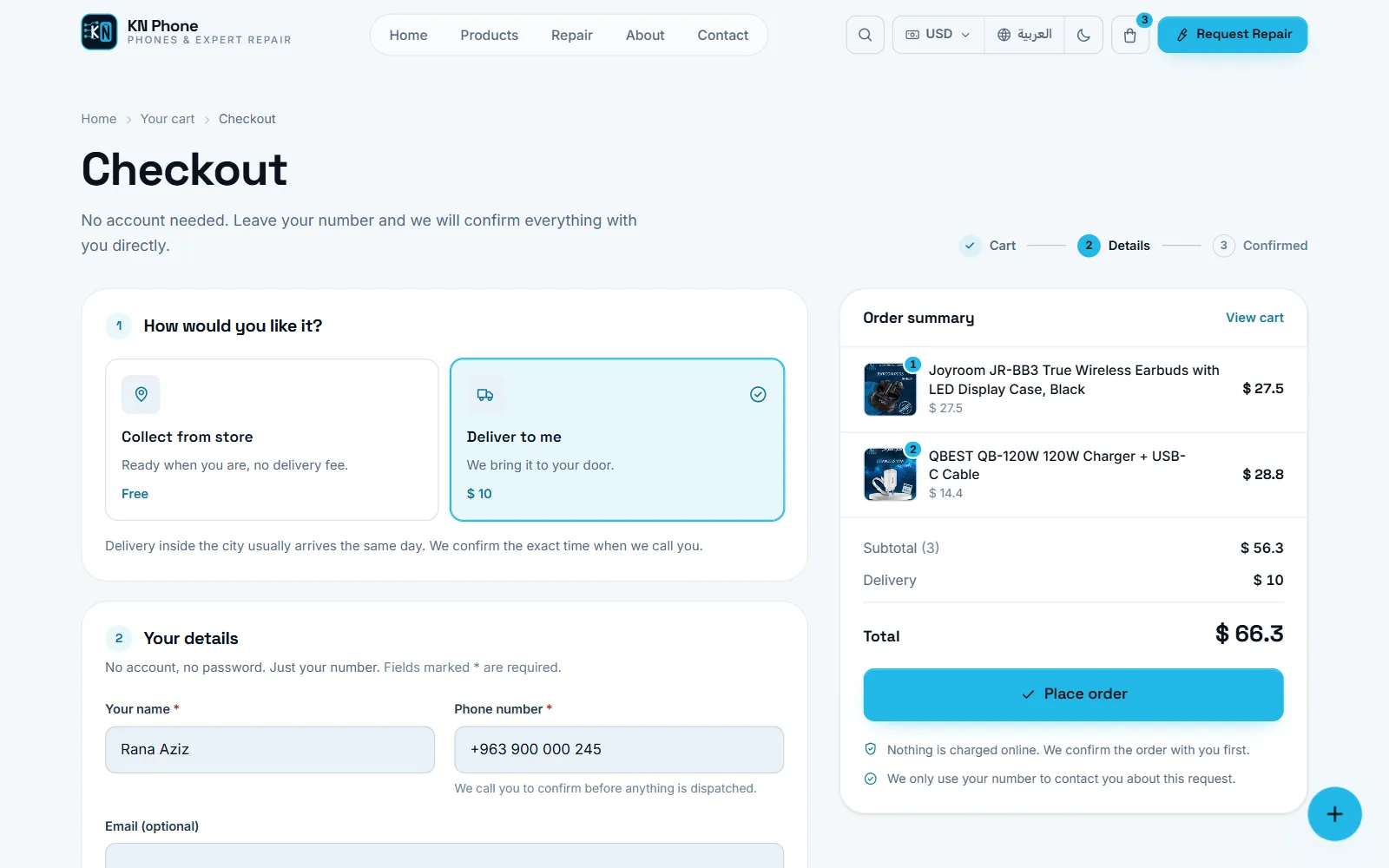
Checkout Guest checkout in three steps: delivery or pickup, contact details, and a summary recalculated on the server.
Screenshot of the Order confirmation screen in KN Phone, with sample data
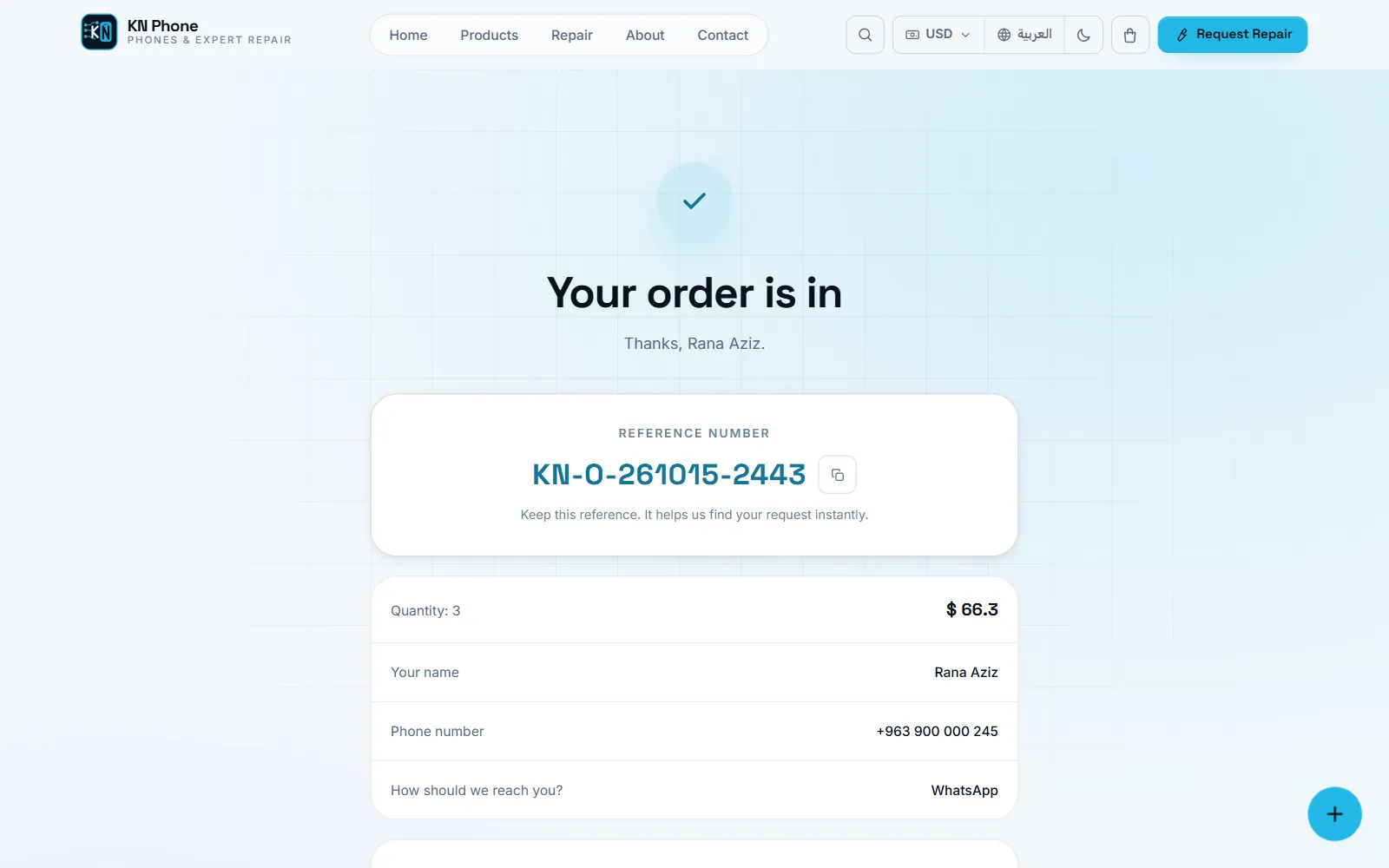
Order confirmation A reference number the customer can copy or send on WhatsApp, and a plain account of what happens next.
Screenshot of the Repair service screen in KN Phone, with sample data
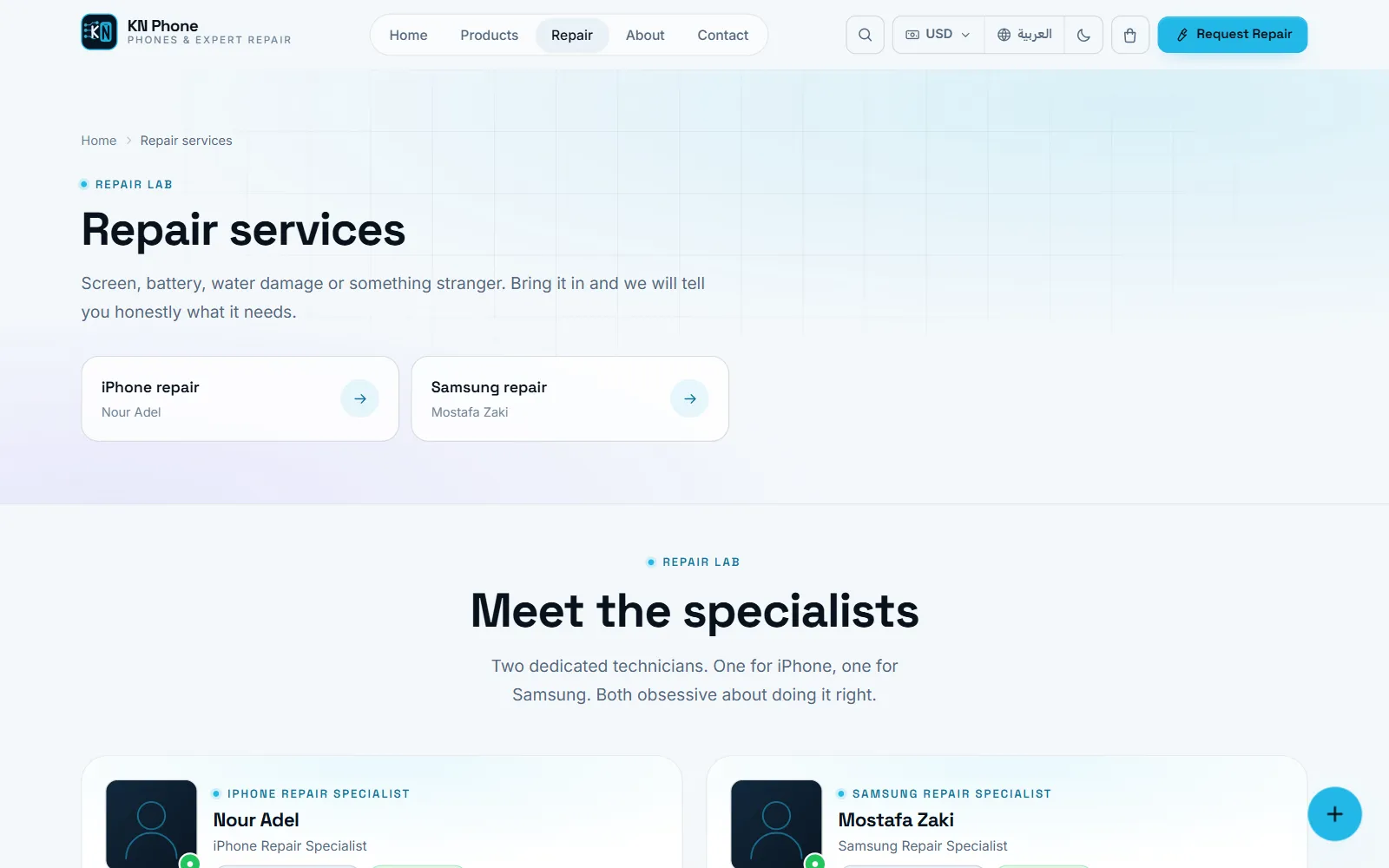
Repair service Repair requests by brand, device and fault, with the specialists who handle them and a numbered confirmation.
04Feature architecture

What the store does, and why it matters

Four areas the customer sees and four the shop runs on, built as one system.

For customers

Discovery & catalogue

Customers reach the right product in a few taps, whichever language they type in.

  • Categories with live product counts
  • Multi-word search in Arabic and English
  • Price range, in-stock and sort filters
  • Featured, new, popular and recently viewed

Product decisions

Everything needed to decide sits on one page, so fewer questions go to the phone.

  • Zoomable gallery
  • Sale price with the saving shown
  • In stock, low stock, out of stock or pre-order
  • Delivery and pickup terms before buying

Cart & checkout

A short guest checkout that matches how the shop already confirms orders.

  • No account: name and phone number
  • Delivery or pickup, each switchable
  • Delivery fee, free-delivery threshold, minimum order
  • Prices in US dollars or Syrian pounds

Repairs & reviews

The repair lab and the customers’ own words are part of the store, not a separate site.

  • Repair requests by brand, device and fault
  • Specialist profiles
  • Product and service reviews with photos
  • Every review approved before it appears

For the shop

Orders & customers

Each order moves through clear stages, and each customer builds a history automatically.

  • New → confirmed → processing → completed
  • Customer profiles keyed on the phone number
  • Orders, spend and dates per customer
  • One-tap WhatsApp from the customer list

Inventory & counter sales

One stock ledger for online orders and walk-in customers, so the shelf and the website agree.

  • Stock in with supplier and unit cost
  • Low-stock alerts per product
  • Counter sales with printable receipts
  • Stock counts with owner approval

Cash, reports & analytics

Figures come from the same records the team works in, not from a spreadsheet.

  • Cash box with deposits, expenses and withdrawals
  • Sales, profit, inventory, cash and movement reports
  • A4 print layouts
  • Built-in visitor and conversion analytics

Store control

The owner changes the shop without a developer, and staff see only what they need.

  • Owner and staff roles
  • Theme colours, fonts and light/dark mode
  • Delivery, currency and review settings
  • Bilingual content, hero and contact details
05The management dashboard

The business side of every order

Everything the storefront produces lands in one dashboard, in Arabic or English, with amounts readable in US dollars or Syrian pounds. Owners and staff each see the parts their role allows.

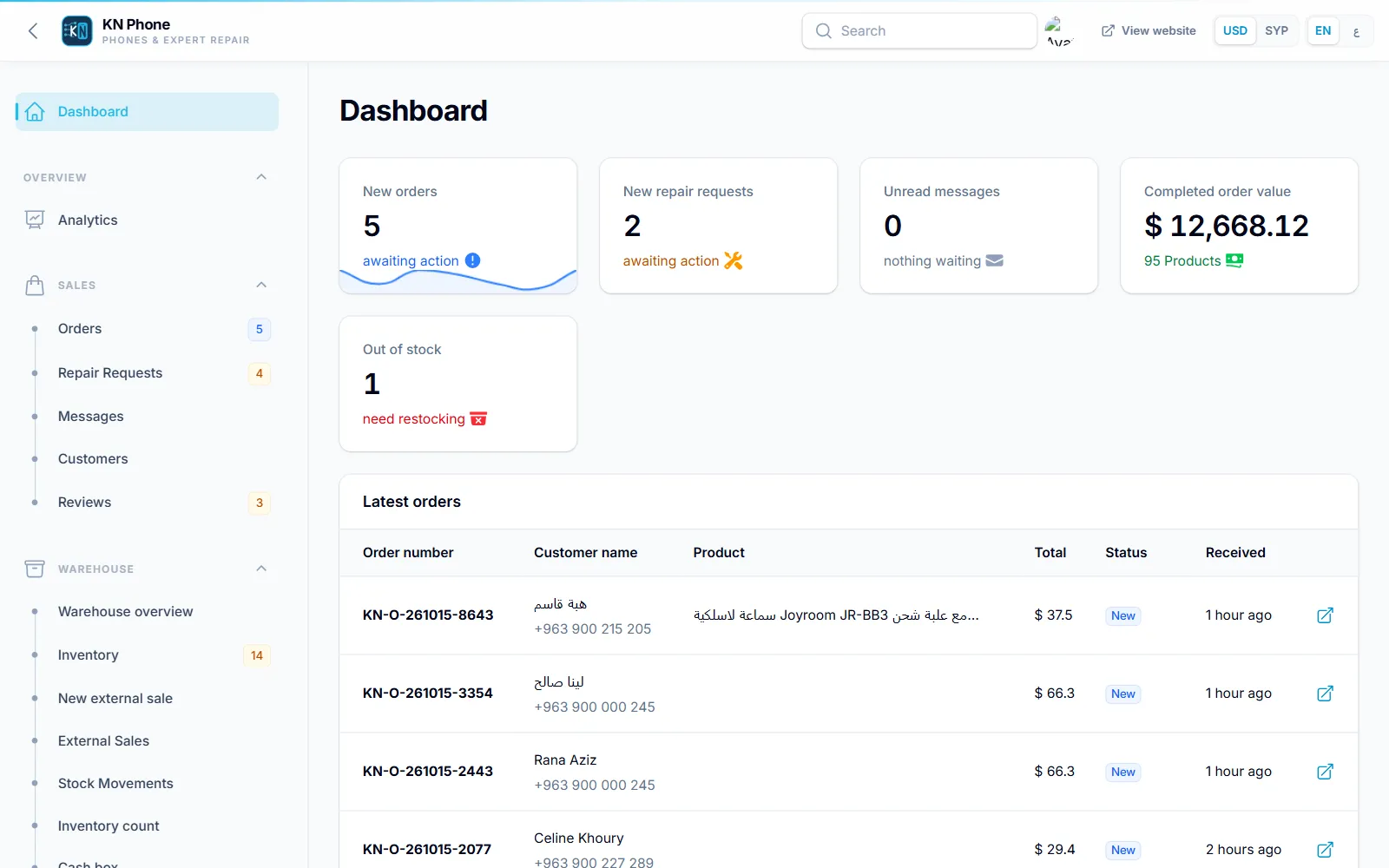
Screenshot of the Dashboard screen in KN Phone, with sample data
Dashboard New orders and repair requests awaiting action, unread messages, completed order value and products out of stock.
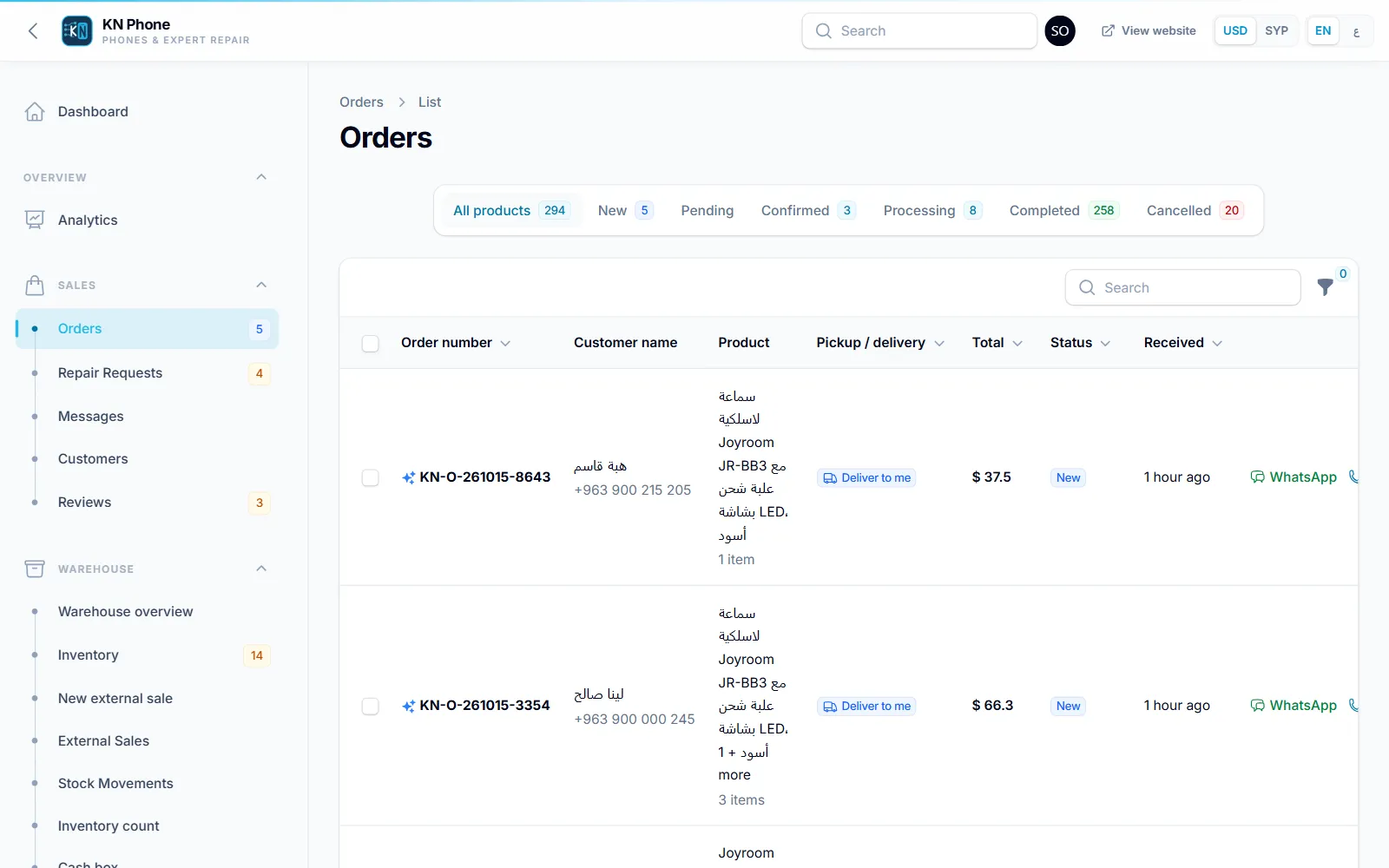
Screenshot of the Orders screen in KN Phone, with sample data
Orders Every order with its customer, items, total, fulfilment and status, filterable and searchable.
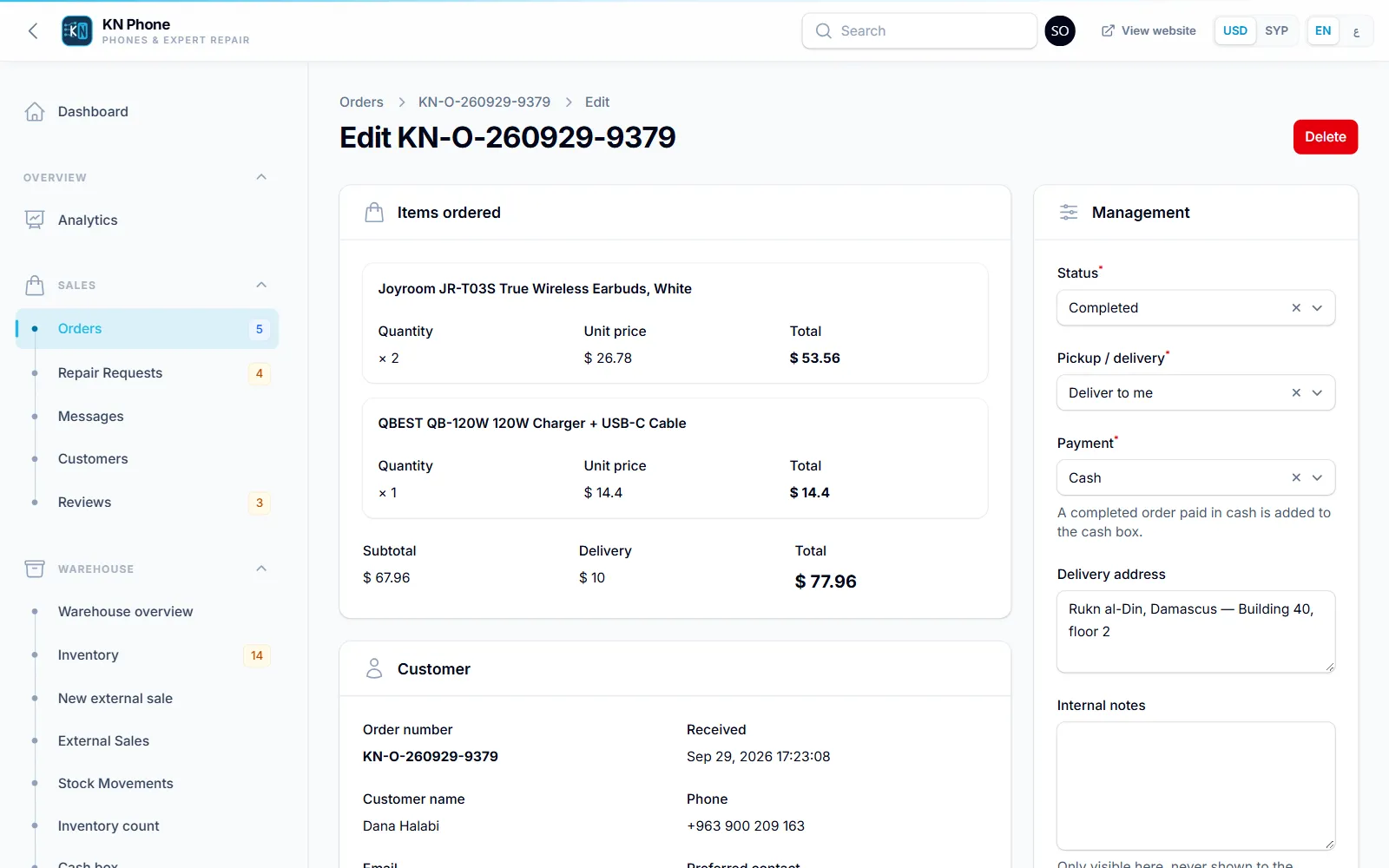
Screenshot of the Order detail screen in KN Phone, with sample data
Order detail Items, delivery, payment method and status in one record; stock and cash update as the status changes.
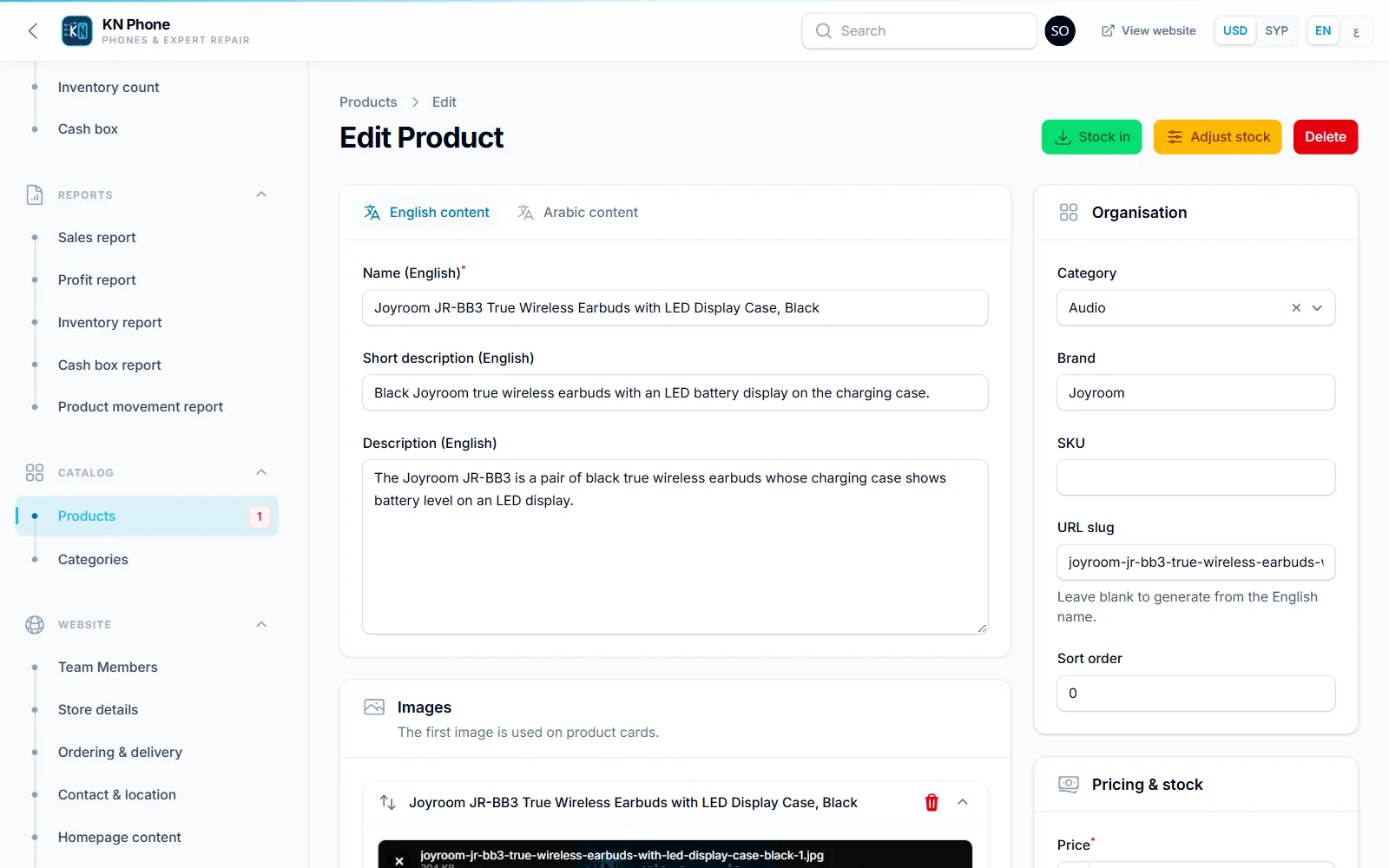
Screenshot of the Product editor screen in KN Phone, with sample data
Product editor Bilingual names and descriptions, price, sale and cost price, stock rules, flags, images and SEO fields.
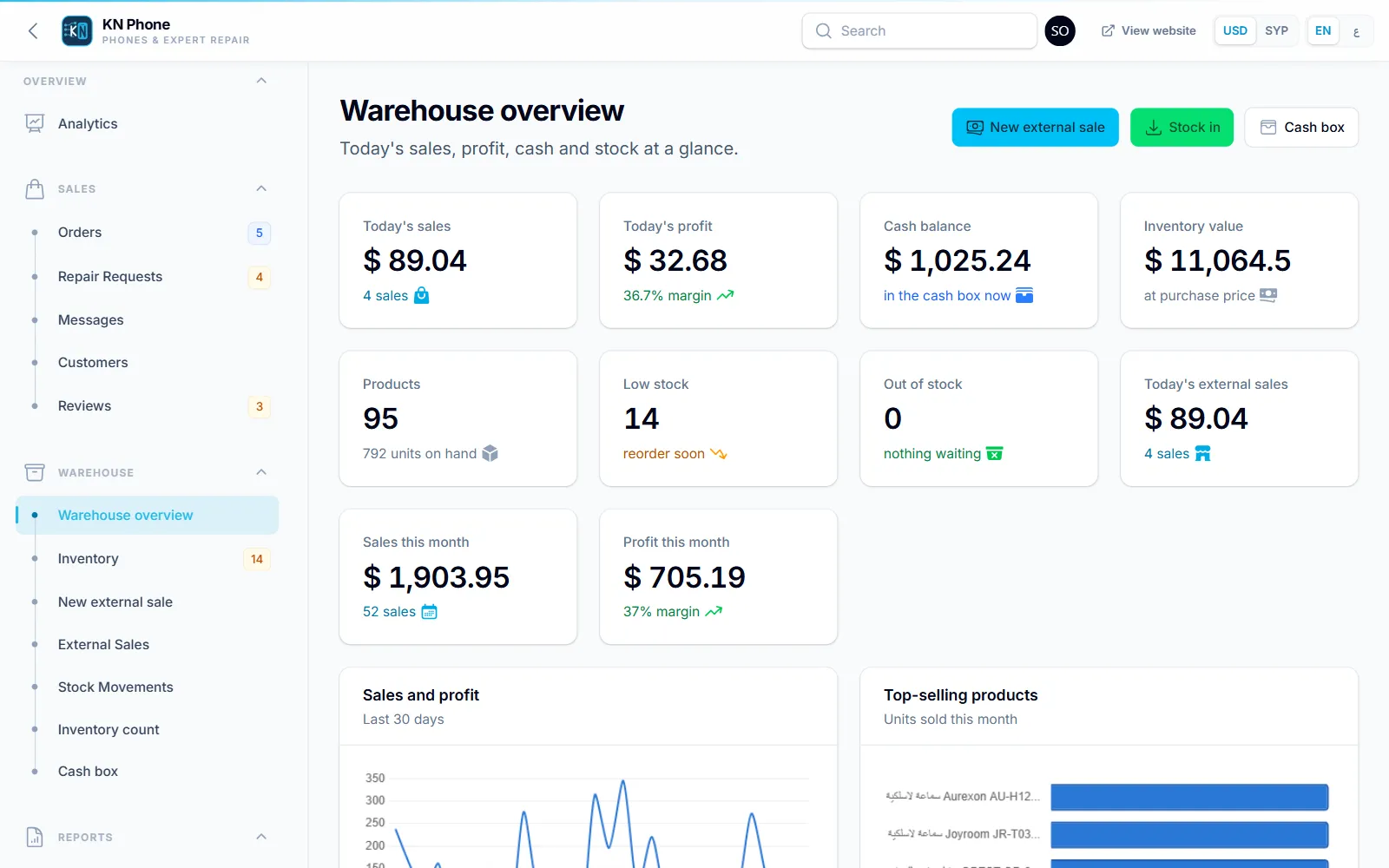
Screenshot of the Warehouse overview screen in KN Phone, with sample data
Warehouse overview Stock value, sales and stock-flow charts, top products and the low-stock list.
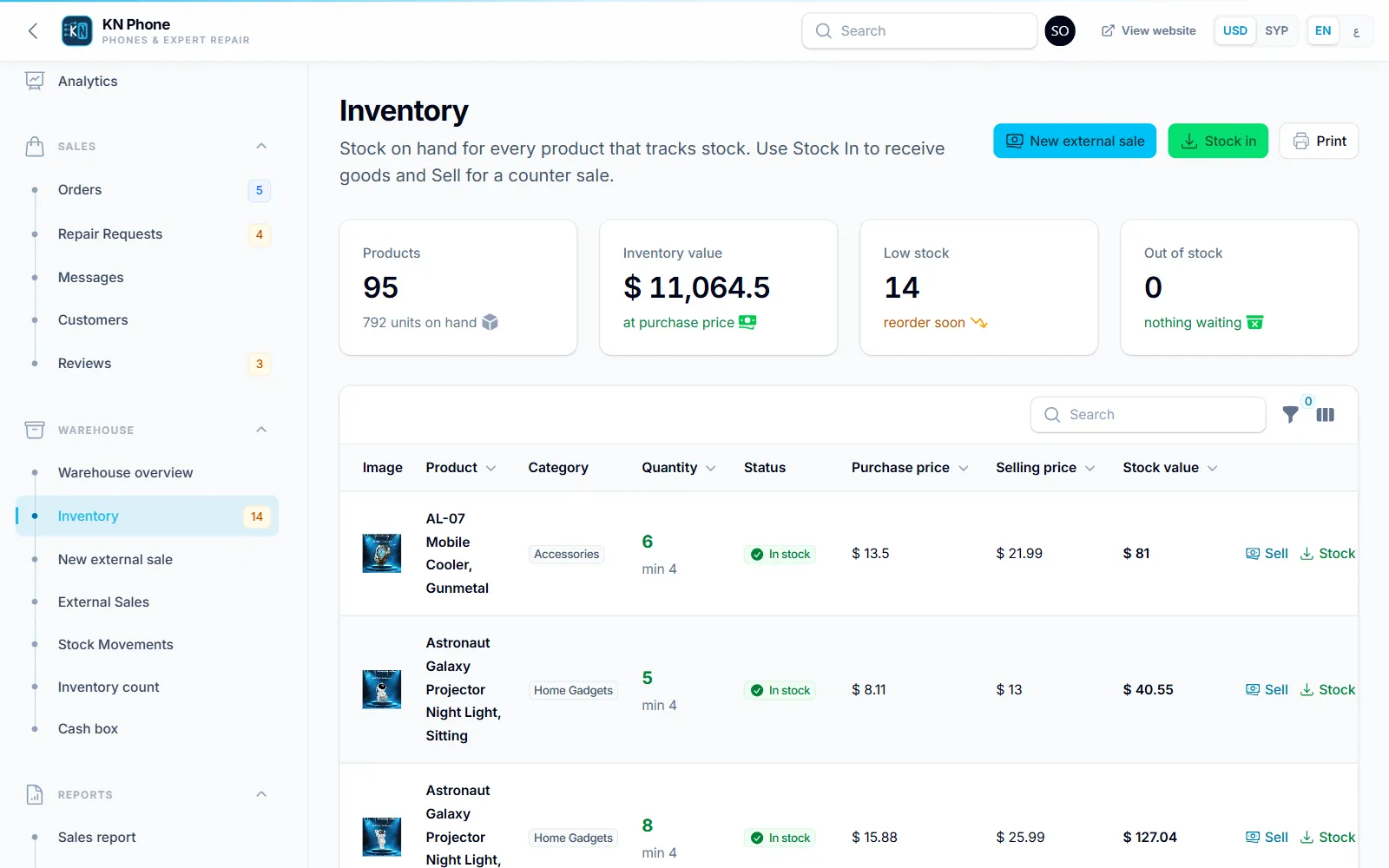
Screenshot of the Inventory screen in KN Phone, with sample data
Inventory Stock per product with minimum levels, and actions to receive, adjust or change stock settings.
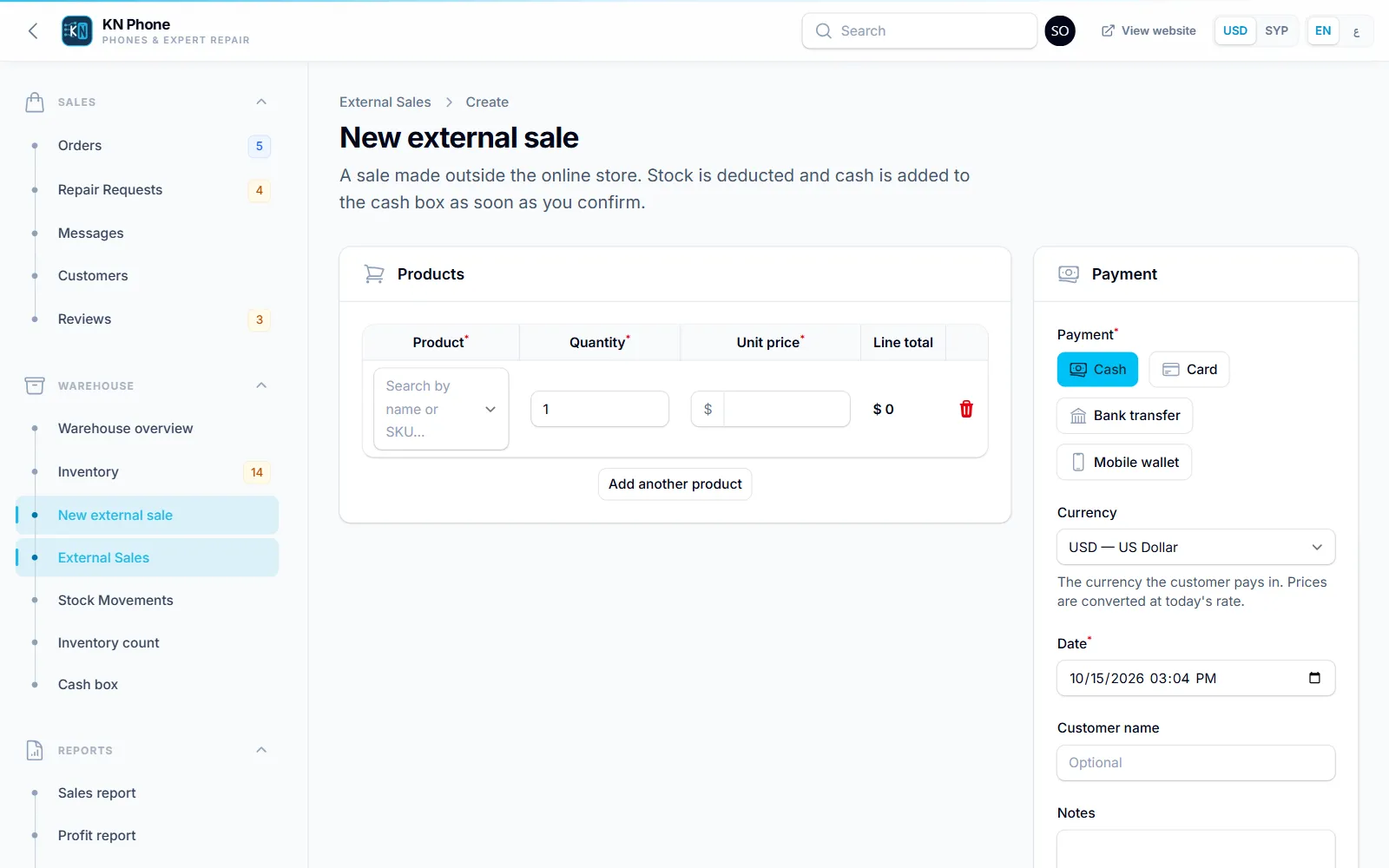
Screenshot of the Counter sale screen in KN Phone, with sample data
Counter sale A walk-in sale in a few clicks, taking stock from the same ledger as online orders.
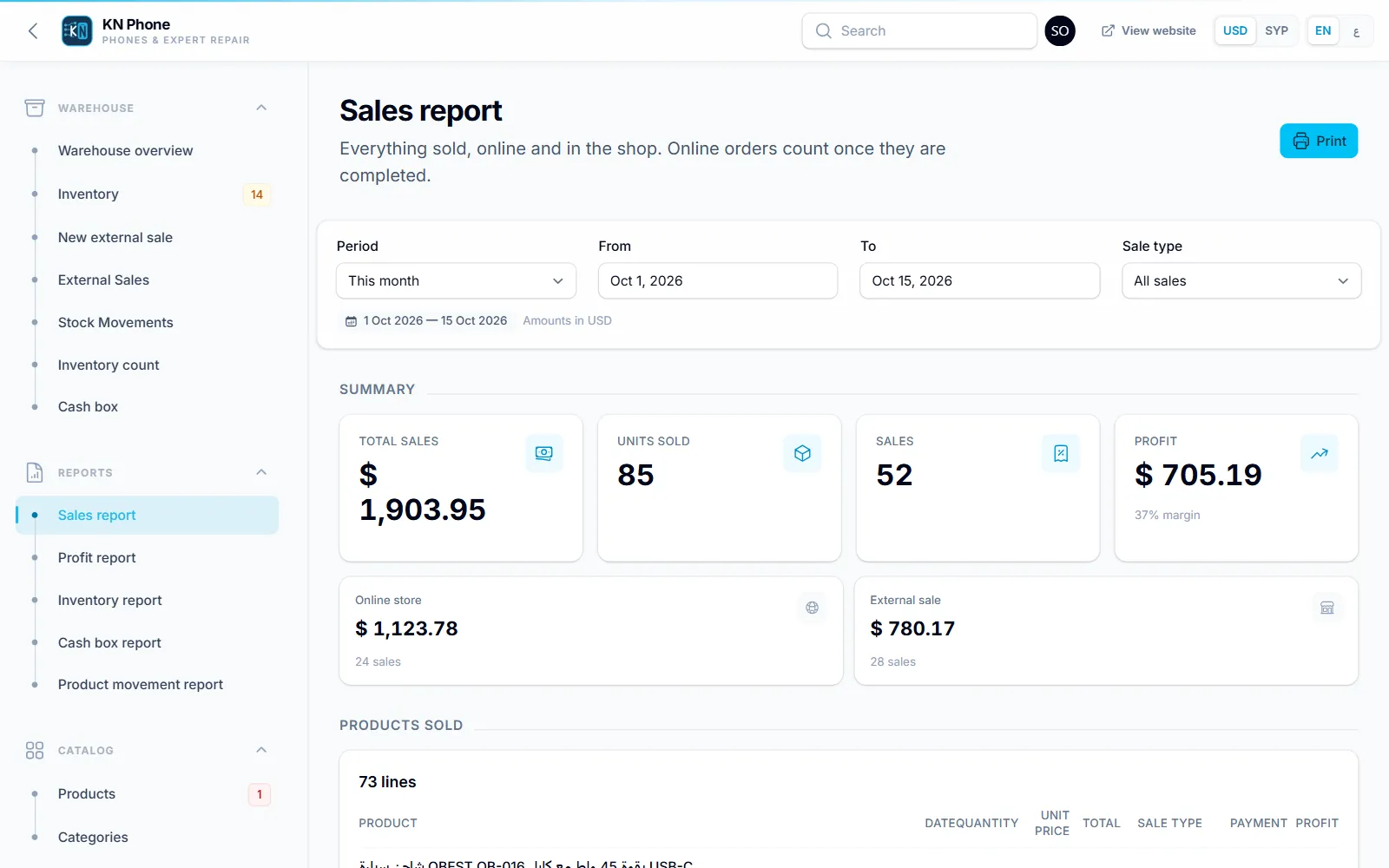
Screenshot of the Sales report screen in KN Phone, with sample data
Sales report Online and counter sales by period, ready to print on A4.
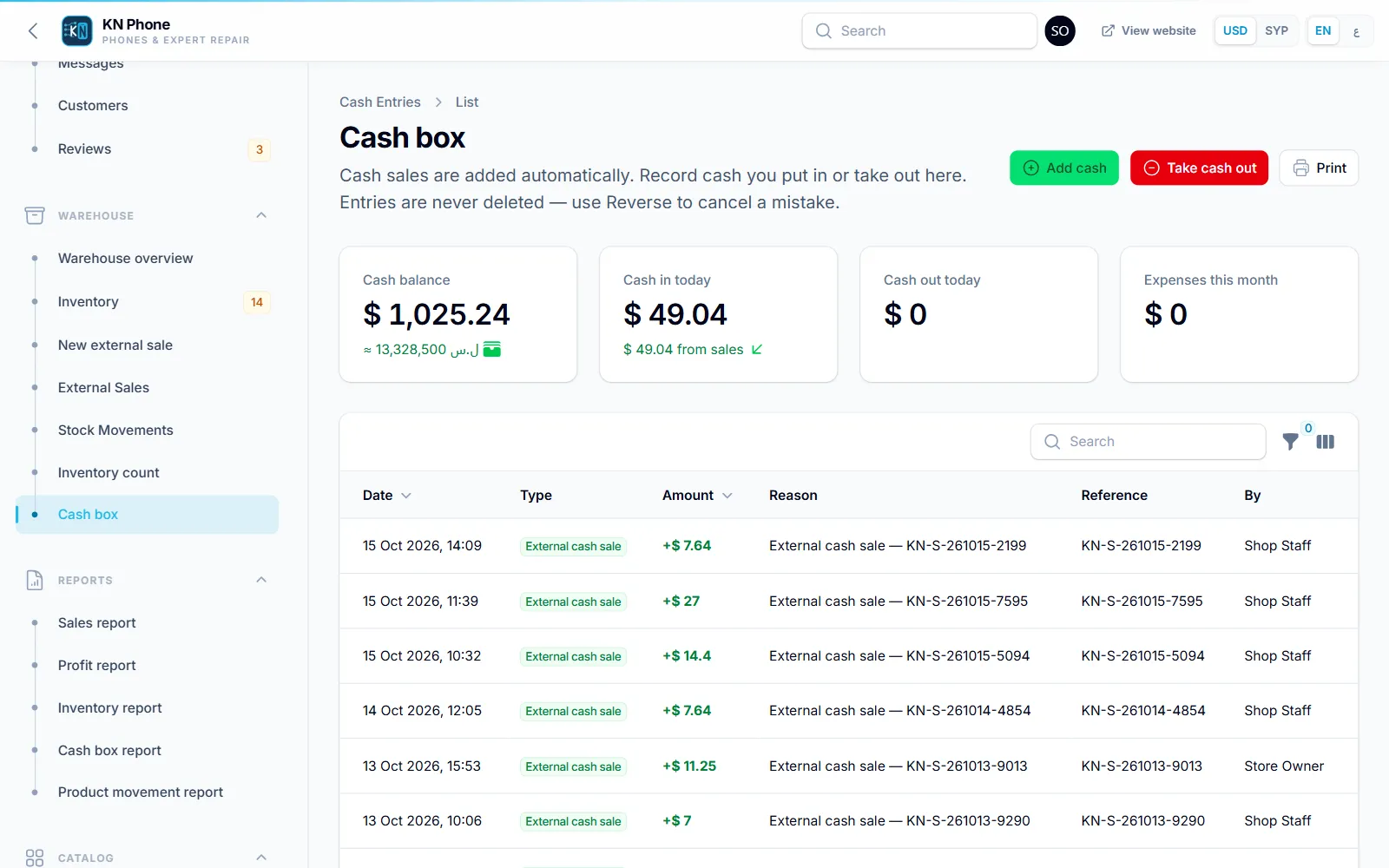
Screenshot of the Cash box screen in KN Phone, with sample data
Cash box Cash from completed orders and counter sales, with deposits, expenses, withdrawals and the running balance.
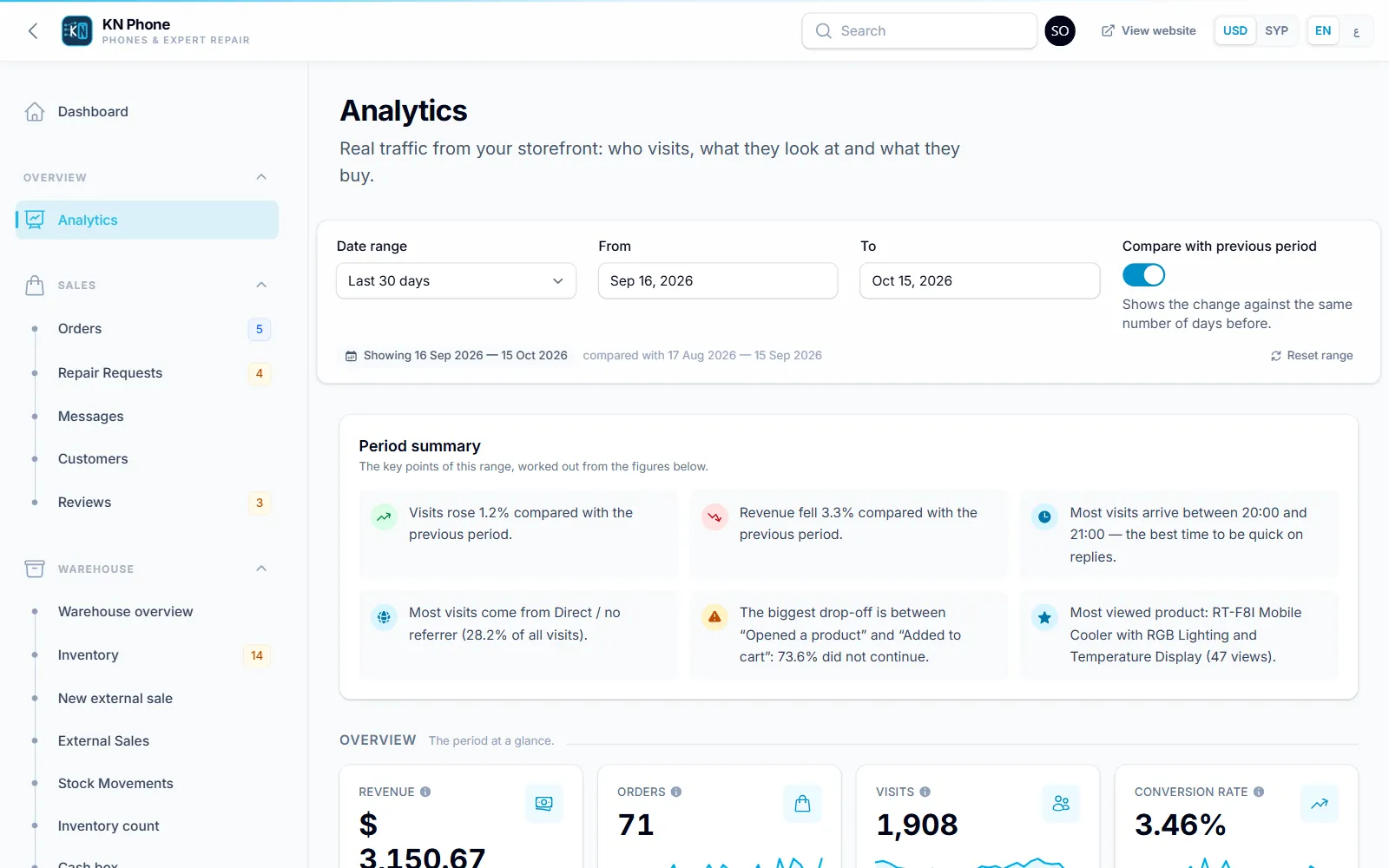
Screenshot of the Analytics screen in KN Phone, with sample data
Analytics Visits, devices, sources, top pages and the path from product view to purchase, from the store’s own data.
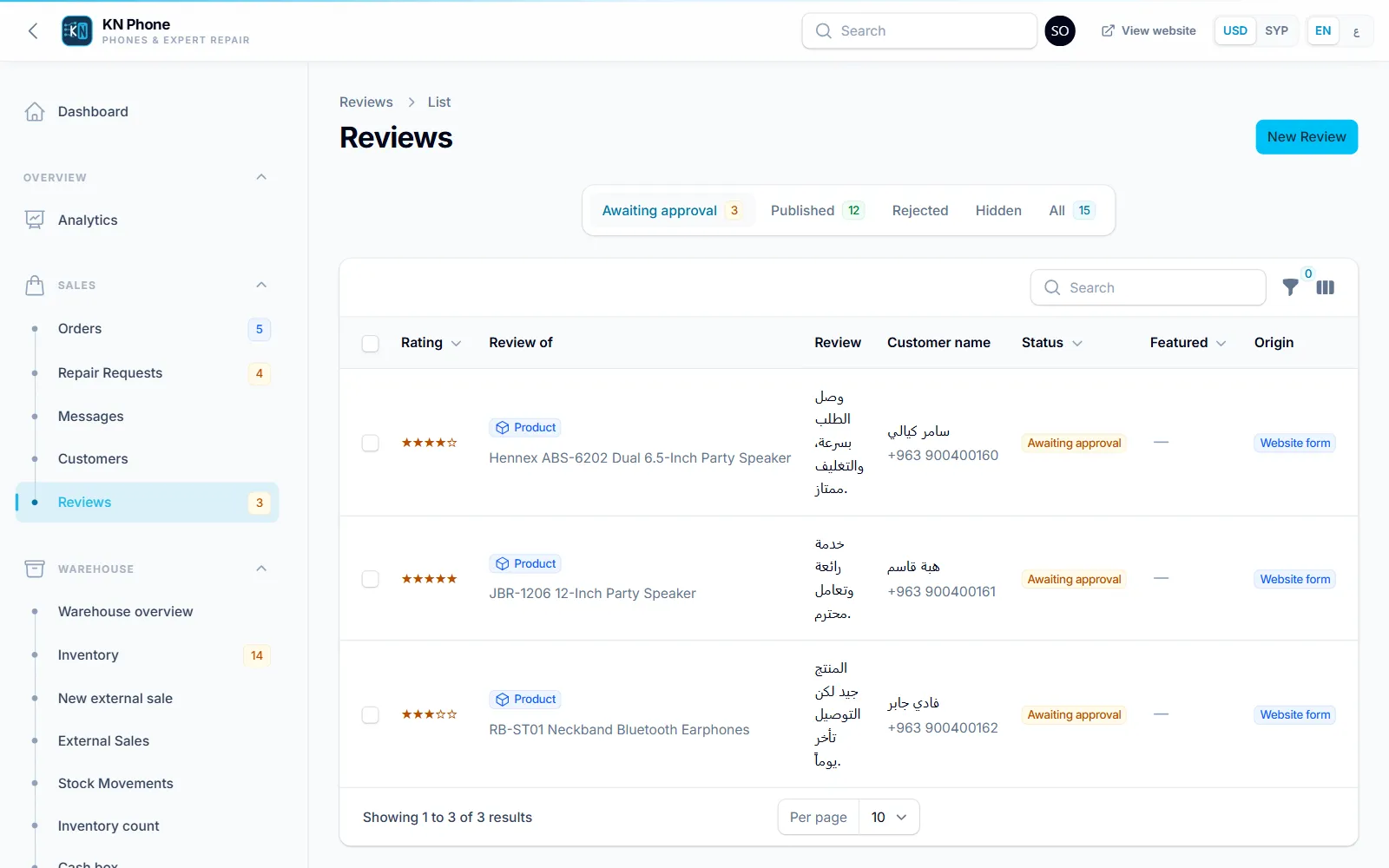
Screenshot of the Review moderation screen in KN Phone, with sample data
Review moderation Pending reviews to approve, reject or feature, with a history of every decision.
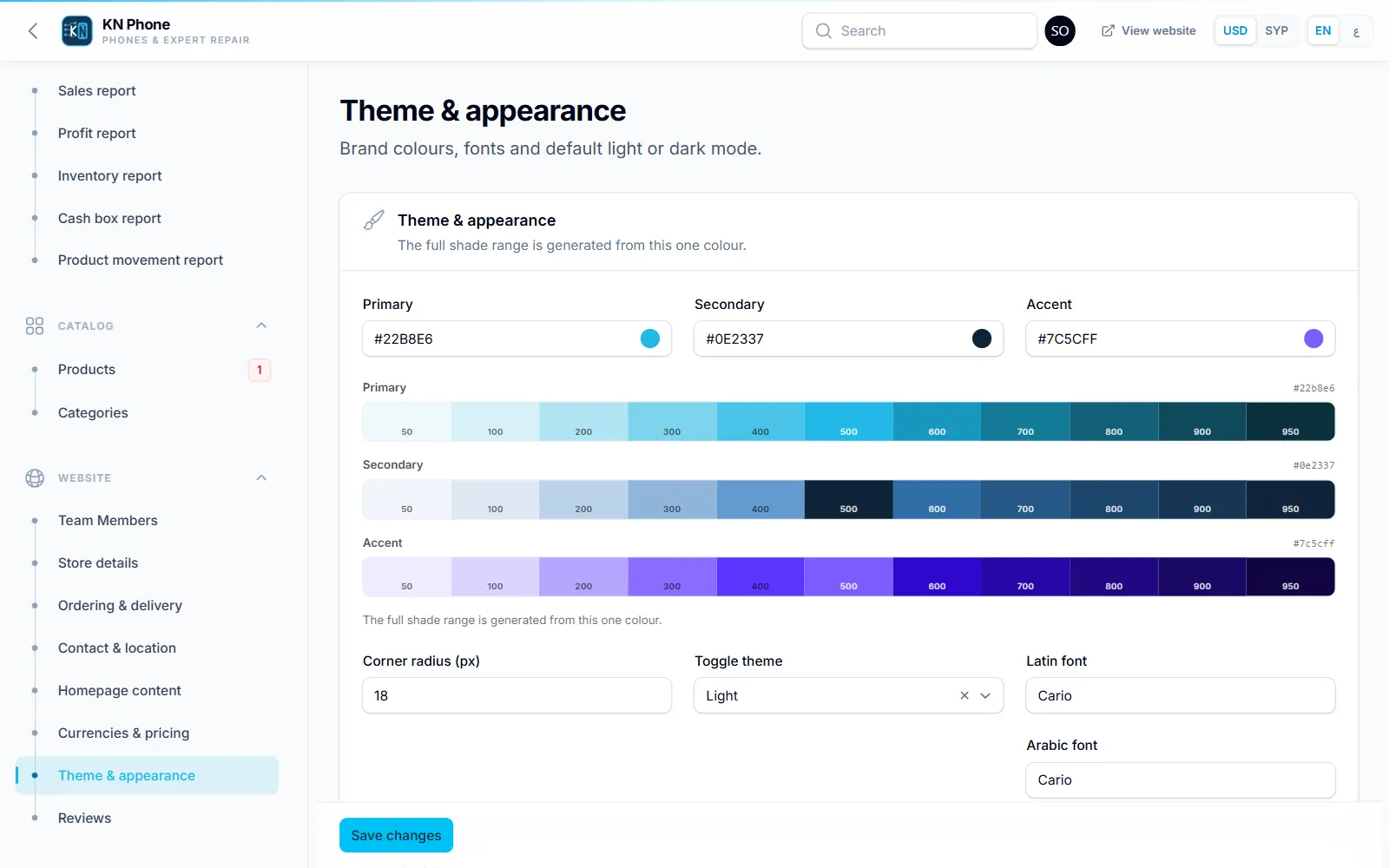
Screenshot of the Appearance screen in KN Phone, with sample data
Appearance Brand colours, fonts, corner radius and default light or dark mode, applied to the store and the dashboard.

Two roles, clearly separated

Owner
Everything, including purchase prices and profit, the cash box, stock corrections, approving stock counts, reviewers’ phone numbers and deleting reviews.
Staff
The shop floor: orders, customers, repairs, receiving stock, counter sales, stock counts, reports and review moderation.
06Feature deep dives

Where the details make the difference

A product page that answers questions before they are asked

Capability
All gallery images arrive with the page, a zoom view, the sale price and saving, availability that shows the real count only when stock is genuinely low, star rating, and the delivery and pickup terms inside the buy box.
Workflow
The customer adds to the cart and keeps browsing, orders the single item in one step, or opens WhatsApp with the product name and link already written.
Business value
Fewer “is it available, how much, can you deliver?” messages, and a quicker step from interest to order.
Screenshot of the A product page that answers questions before they are asked screen in KN Phone, with sample data

A guest checkout built around a phone call

Capability
Name and phone number are enough. Delivery or pickup, each with its own note; a delivery fee with a free-delivery threshold; an optional minimum order; prices recalculated on the server; spam traps and rate limits.
Workflow
The order arrives in the dashboard as New with a readable reference. Staff call or message the customer, confirm, prepare and complete it; the customer’s profile updates itself.
Business value
Online ordering without forcing customers to create accounts, and no duplicate order from a double tap.
Screenshot of the A guest checkout built around a phone call screen in KN Phone, with sample data

Stock that follows every sale

Capability
A stock ledger records each movement: stock in with supplier and cost, online sale, counter sale, return, stock count and adjustment. Purchase cost is averaged on every delivery.
Workflow
Placing an order takes the stock, cancelling it puts the stock back, and completing it books the sale. A walk-in sale draws from the same ledger, and low-stock items surface on the dashboard.
Business value
The website never sells what the shelf does not have, and profit is calculated from what each unit actually cost.
Screenshot of the Stock that follows every sale screen in KN Phone, with sample data

Numbers the owner can act on

Capability
First-party analytics count visits, devices, traffic sources and pages, and follow the path from product view to cart, checkout and purchase. Five reports cover sales, profit, inventory, cash and product movement.
Workflow
The owner picks a period and reads every figure against the same window, then prints a report on A4 for the books or for a supplier meeting.
Business value
Decisions about stock, offers and promotion are based on the shop’s own data, without a third-party tracking service.
Screenshot of the Numbers the owner can act on screen in KN Phone, with sample data
07Experience & design decisions

Small decisions that shape the shopping experience

Arabic first, mirrored properly

Arabic is the default language, laid out right to left throughout, with English as a full alternative. Every page has its own address in each language.

Made for the phone in hand

A sticky buy bar on product pages, a collapsible order summary at checkout and large touch targets, for shoppers who browse and buy on a phone.

Honest prices and availability

Sale prices show the original and the saving, low stock shows the real number, and empty categories hide instead of leading to blank pages.

Light, fast images

Every upload is re-encoded into WebP sizes, plus AVIF where the server supports it, and served to fit the screen, so a product page loads a fraction of the original photo weight.

A brand the owner controls

Colours, fonts, corner radius and the default light or dark mode are settings, applied to the store and the dashboard alike.

Privacy around reviews

Reviewers’ phone numbers are encrypted and visible only to the owner, and review photos stay private until the review is approved.

08Sample results

Six months of trading, as the dashboard reports it

What an owner reads after half a year on the system: sales and profit, stock and repairs, month by month.

Sample data Illustrative figures, not KN Phone’s results. They were produced by running the store’s own order, stock and repair logic over six months of fictional trading (April to September 2026), then reading each month back through its own sales and inventory reports.

Sales & profit

Revenue, 6 months
$18,854
Gross profit
$7,204
Gross margin
38.2%
Sales
554online orders and counter sales
Revenue by channelUS dollars per month
  • Online orders
  • Counter sales
Show the numbers
MonthOnline ordersCounter salesTotal
Apr$565$1,390$1,955
May$1,275$1,586$2,861
Jun$1,508$1,650$3,158
Jul$2,094$1,535$3,629
Aug$1,808$1,583$3,392
Sep$2,644$1,214$3,858
Gross profitRevenue minus the purchase cost recorded for each unit sold
Show the numbers
MonthGross profit
Apr$752
May$1,105
Jun$1,205
Jul$1,362
Aug$1,281
Sep$1,499

Warehouse

Stock value at cost
$11,790at the end of September
Units on hand
836at the end of September
Lines at or below minimum
12at the end of September
Units sold, 6 months
903
Units received and soldPer month
  • Received
  • Sold
Show the numbers
MonthReceivedSold
Apr4890
May186119
Jun300132
Jul182185
Aug266163
Sep122214
Stock value at costAt each month end
Show the numbers
MonthStock value at cost
Apr$8,058
May$8,640
Jun$11,796
Jul$12,180
Aug$13,003
Sep$11,790

Repair requests

Requests, 6 months
287
Completed
95%
Average quote
$48completed repairs
Requests in September
63
Requests by brandPer month
  • iPhone
  • Samsung
  • Other brands
Show the numbers
MonthiPhoneSamsungOther brandsTotal
Apr1713939
May2114439
Jun2113842
Jul26131251
Aug26171053
Sep2926863
Most common faultsRequests, April to September
  • Screen82
  • Charging port47
  • Battery45
  • Camera25
  • Water damage25
  • Software23
  • Other faults40
Show the numbers
FaultRequests
Screen82
Charging port47
Battery45
Camera25
Water damage25
Software23
Other faults40

The dashboard tracks repairs as requests with a status and a quote; repair income is not booked as store sales.

09Project scope

Technical overview

A modern PHP stack built to run on standard shared hosting: nothing to install on the server beyond PHP and MySQL.

Platform
Laravel 13 · PHP 8.4
Dashboard
Filament 5 · Livewire 4
Storefront
Blade · Tailwind CSS 4 · Alpine.js
Database
MySQL
Images
WebP (and AVIF where supported) variants generated on upload
SEO
Per-language URLs, hreflang, sitemap, Product, Store and Review structured data
Lab result
Mobile product page: 5.9 MB → 0.43 MB transferred after the image pipeline
Sonraki proje New Bay ERP — Rental & Reservations Platform

Selling online and in store? Run both from one system.

MagnAct designs and builds online stores together with the dashboard, stock and reporting behind them, in Arabic and English. Tell us how your shop works today and we will map out what it needs.

info@magnact.com
MagnAct